How to build reliable AI workflows with agentic primitives and context engineering
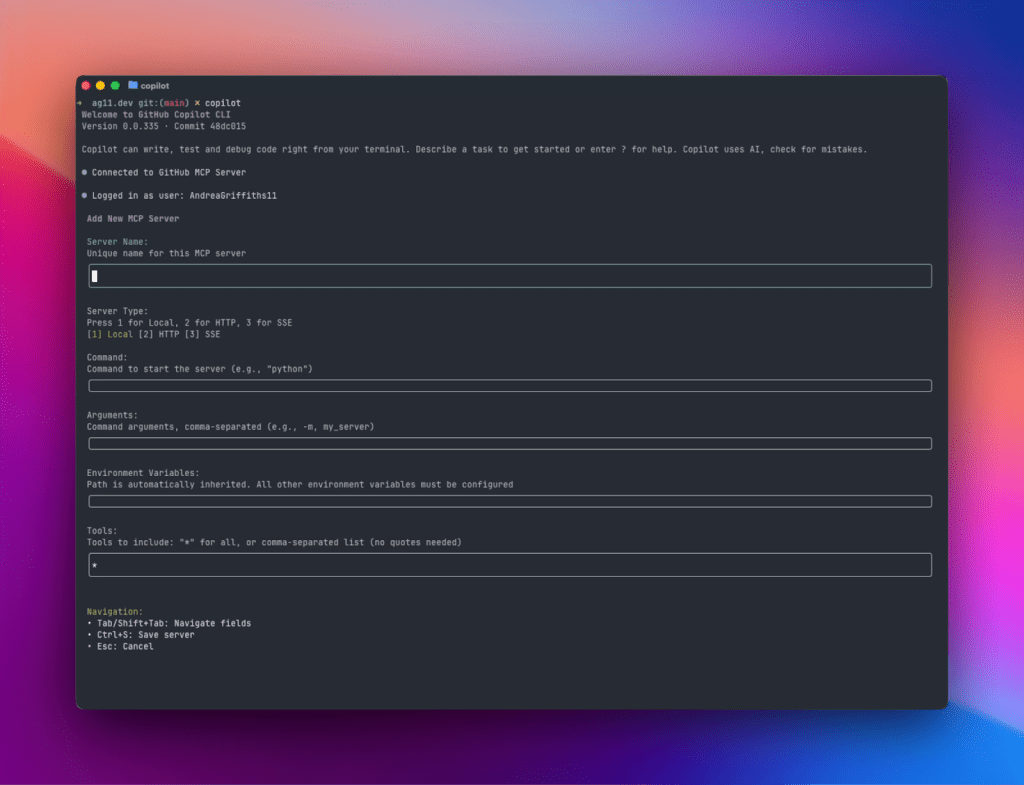
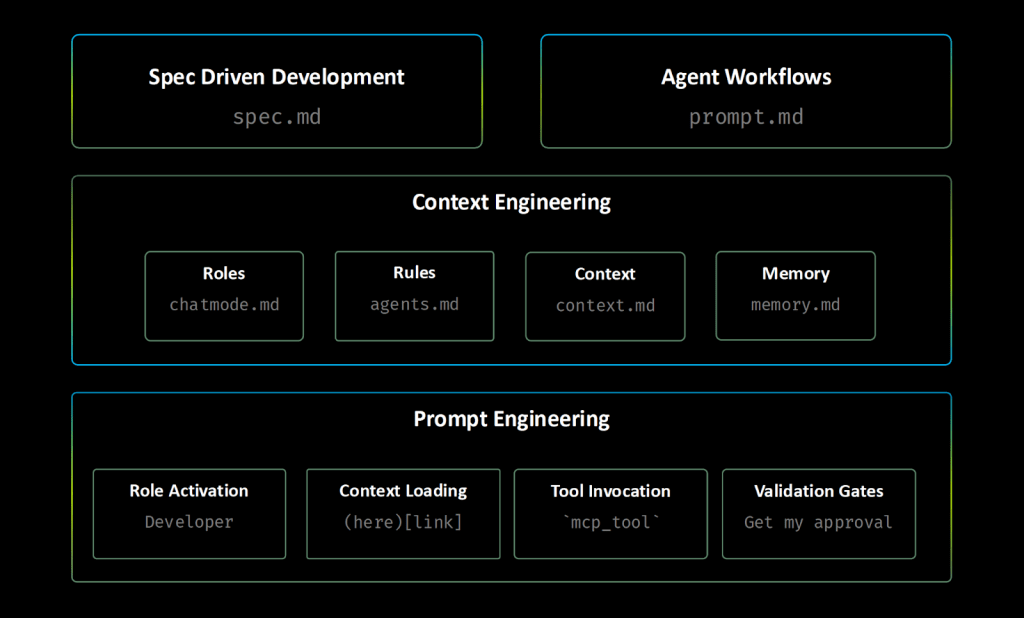
Many developers begin their AI explorations with a prompt. Perhaps you started the same way: You opened GitHub Copilot, started asking questions in natural language, and hoped for a usable output. This approach can work for simple fixes and code suggestions, but as your needs get more complex—or as your work gets more collaborative—you’re going to need a more foolproof strategy. This guide will introduce you to a three-part framework that transforms this ad-hoc style of AI experimentation into a repeatable and reliable engineering practice. At its core are two concepts: agentic primitives, which are reusable, configurable building blocks that enable AI agents to work systematically; and context engineering, which ensures your AI agents always focus on the right information. By familiarizing yourself with these concepts, you’ll be able to build AI systems that can not only code independently, but do so reliably, predictably, and consistently. The AI-native development frameworkMarkdown prompt engineering + agent primitives + context engineering = reliability Whether you’re new to AI-native development or looking to bring deeper reliability to your agent workflows, this guide will give you the foundation you need to build, scale, and share intelligent systems that learn and improve with every use. 🧠 Try it yourself: Build and run agentic workflows with GitHub Copilot CLI Bring your agent primitives to life right from your terminal. The new GitHub Copilot CLI lets you run, debug, and automate AI workflows locally—no setup scripts, no context loss. It connects directly to your repositories, pull requests, and issues through GitHub MCP, giving your agents the same context they’d have in your IDE. 👉 Get started with GitHub Copilot CLI > What are agent primitives? The three-layer framework below turns ad-hoc AI experimentation into a reliable, repeatable process. It does this by combining the structure of Markdown; the power of agent primitives, simple building blocks that give your AI agents clear instructions and capabilities; and smart context management, so your agents always get the right information (not just more information). Layer 1: Use Markdown for more strategic prompt engineering We’ve written about the importance of prompt engineering. But here’s what you need to know: The clearer, more precise, more context-rich your prompt, the better, more accurate your outcome. This is where Markdown comes in. With Markdown’s structure (its headers, lists, and links), you can naturally guide AI’s reasoning, making outputs more predictable and consistent. To provide a strong foundation for your prompt engineering, try these techniques with Markdown as your guide: Context loading: [Review existing patterns](./src/patterns/). In this case, links become context injection points that pull in relevant information, either from files or websites. Structured thinking: Use headers and bullets to create clear reasoning pathways for the AI to follow. Role activation: Use phrases like “You are an expert [in this role].” This triggers specialized knowledge domains and will focus the AI’s responses. Tool integration: Use MCP tool tool-name. This lets your AI agent run code in a controlled, repeatable, and predictable way on MCP servers. Precise language: Eliminate ambiguity through specific instructions. Validation gates: “Stop and get user approval.” Make sure there is always human oversight at critical decision points. For example, instead of saying, Find and fix the bug, use the following: You are an expert debugger, specialized in debugging complex programming issues. You are particularly great at debugging this project, which architecture and quirks can be consulted in the [architecture document](./docs/architecture.md). Follow these steps: 1. Review the [error logs](./logs/error.log) and identify the root cause. 2. Use the `azmcp-monitor-log-query` MCP tool to retrieve infrastructure logs from Azure. 3. Once you find the root cause, think about 3 potential solutions with trade-offs 4. Present your root cause analysis and suggested solutions with trade-offs to the user and seek validation before proceeding with fixes – do not change any files. Once you’re comfortable with structured prompting, you’ll quickly realize that manually crafting perfect prompts for every task is unsustainable. (Who has the time?) This is where the second step comes in: turning your prompt engineering insights into reusable, configurable systems. Layer 2: Agentic primitives: Deploying your new prompt engineering techniques Now it’s time to implement all of your new strategies more systematically, instead of prompting ad hoc. These configurable tools will help you do just that. Core agent primitives When it comes to AI-native development, a core agent primitive refers to a simple, reusable file or module that provides a specific capability or rule for an agent. Here are some examples: Instructions files: Deploy structured guidance through modular .instructions.md files with targeted scope. At GitHub, we offer custom instructions to give Copilot repository-specific guidance and preferences. Chat modes: Deploy role-based expertise through .chatmode.md files with MCP tool boundaries that prevent security breaches and cross-domain interference. For example, professional licenses that keep architects from building and engineers from planning. Agentic workflows: Deploy reusable prompts through .prompt.md files with built-in validation. Specification files: Create implementation-ready blueprints through .spec.md files that ensure repeatable results, whether the work is done by a person or by AI. Agent memory files: Preserve knowledge across sessions through .memory.md files. Context helper files: Optimize information retrieval through .context.md files. How using a core agent primitive can transform a prompt and its outcome Technique: Using Markdown prompt engineering, your prompt can be: “Implement secure user authentication system” Primitives: You’ll select backend-dev chat mode → Auto-triggers security.instructions.md via applyTo: “auth/**” → Loads context from [Previous auth patterns](.memory.md#security) and [API Security Standards](api-security.context.md#rest) → Generates user-auth.spec.md using structured templates → Executes implement-from-spec.prompt.md workflow with validation gates. Outcome: Developer-driven knowledge accumulation where you capture implementation failures in .memory.md, document successful patterns in .instructions.md, and refine workflows in .prompt.md files—creating compound intelligence that improves through your iterative refinement. This transformation might seem complex, but notice the pattern: What started as an ad-hoc request became a systematic workflow with clear handoff points, automatic context loading, and built-in validation. When you use these files and modules, you can keep adjusting and improving how your AI agent works at every step. Every time you