INITIALIZING

Author name: ITMAITY

tech blog

How Microsoft’s customers and partners accelerated AI Transformation in FY25 to innovate with purpose and shape their future success

Over the past fiscal year, our customers and partners have driven pragmatic outcomes by implementing AI-first strategies across their organizations. With AI Transformation as their framework, we helped them enrich employee experiences, reinvent customer engagement, reshape business processes and bend the curve on innovation for their people, businesses and industries. Now, we are partnering to go beyond what they thought possible to unlock even greater potential by restructuring and centralizing their business strategies with an AI-first mindset. Our cloud and AI capabilities are leading the industry, and we are committed to working closely with our customers and partners to meet their increasingly complex needs and help them become frontier AI firms. Below are several stories from the past quarter reflecting the success we have seen broadly this past year. Each showcases what we can achieve together with an approach grounded in AI business solutions, cloud and AI platforms, and security. AI is blurring the lines between personal and organizational productivity, and we are helping our customers leverage Copilots and agents combined with human ambition to create differentiation. With over one million customers in Argentina, Banco Ciudad launched a digital transformation initiative focused on AI, productivity and security. What began as a pilot program quickly grew into broad adoption with the bank implementing Microsoft 365 Copilot to improve productivity, Microsoft Copilot Studio to develop agents and Microsoft Azure to scale their AI solutions. As a result, the bank strengthened its operational resilience, empowered teams, drove sustainable growth and improved customer engagement — even in a challenging economic environment. So far, the bank has freed up 2,400 employee work hours annually with savings projected to generate $75,000 USD monthly. As one of the country’s largest financial institutions, Commonwealth Bank of Australia is harnessing AI to meet rising customer expectations by developing smarter, more secure and highly customizable banking experiences at scale. To ensure employees have the confidence and expertise to leverage AI effectively, the bank launched a structured skilling initiative to empower them with the knowledge needed to adopt AI effectively. Eighty-four percent of 10,000 Microsoft 365 Copilot users reported they would not go back to working without it; and nearly 30% of GitHub Copilot code suggestions were adopted, driving efficiency and smarter decision-making. Nonprofit Make-A-Wish is dedicated to granting hope by fulfilling wishes for children with critical illnesses across the United States. Fragmented systems, limited data access and the need to protect sensitive information were creating challenges for the organization to operate effectively, so it turned to partner Redapt for support. Make-A-Wish deployed comprehensive Microsoft cloud and AI solutions — including Azure Cloud Services, Microsoft Fabric, Microsoft 365 Copilot and Copilot Studio — to unify its data, rebuild core applications and boost staff productivity. This transformation enabled the organization to increase operational efficiency, improve collaboration across national and regional chapters and strengthen its data security to protect sensitive family data. Sheló NABEL, a wellness and beauty company based in Mexico, faced operational challenges as it expanded its network of independent entrepreneurs. With support from partner Best Practices Consulting, the company integrated Microsoft Dynamics 365 to gain real-time market insights and optimize its demand planning across more than 400 products. They also integrated Microsoft Copilot to enhance customer service and increase operational efficiency with AI. As a result, the company has achieved a 17% increase in sales, 5X faster reporting processes and real-time inventory control. Based in Saudi Arabia, technology and communications company Unifonic serves millions of people across 160 countries. As their business began to scale rapidly, they faced challenges managing a growing hybrid workforce while maintaining strong security and compliance standards. To solve this, the company deployed Microsoft 365 E5 and Microsoft 365 Copilot to automate workflows and secure data in one platform. This unified ecosystem enabled teams to reduce time spent on audits by 85%, save two hours per day on cybersecurity governance, save $250,000 USD in costs and reduce time to set up client demos by 15%. Microsoft has the leading cloud platform for AI innovation with Azure as the infrastructure, Azure AI Foundry as the applications server and Fabric as the data platform. As legal professionals face challenges with manual data entry, document generation and compliance-heavy processes, Assembly Software aimed to transform how they handle complex, time-consuming workflows. Using Azure AI Foundry, the company built NeosAI — a fully embedded generative AI solution that automates nearly every aspect of the legal workflow — from document intake to drafting and reporting. As a result, law firms using NeosAI report saving up to 25 hours per case, with document drafting time reduced from 40 hours to just minutes. This AI solution is not only boosting productivity and reducing stress for legal professionals but also enabling firms to serve more clients with greater speed and accuracy. One of the world’s oldest continuously operating companies, Husqvarna Group, faced increasing pressure to modernize its network of factories, supply chains and distribution channels to stay competitive in a rapidly evolving landscape. The company implemented a comprehensive Microsoft Azure solution — including Azure Arc, Azure IoT Operations and Azure OpenAI — to unify cloud and on-premises systems, enable real-time data insights and drive innovation across global manufacturing operations. As a result, the company achieved a 98% reduction in data deployment time, cut infrastructure imaging costs by 50% and significantly improved productivity and uptime across its connected factories. Serving over 600,000 members in the United States, Members 1st Federal Credit Union sought to modernize its data infrastructure to deliver more personalized member experiences and support data-driven decision-making. The credit union faced challenges with siloed data across more than 15 sources and legacy systems with limited analytics capabilities. With support from partner 3Cloud, the credit union combined Azure SQL, Azure Data Factory and Azure Databricks to extract, log and centralize enterprise-wide data into a cutting-edge data lakehouse. Machine learning models that took 36 hours to run can now be done in three to four hours — a reduction of about 89%. Additionally, updates within its customer relationship management software now take 30 to 40 minutes compared to

tech blog

Amplifying Cyber Resiliency for Modern Enterprises

As cyber threats grow in sophistication, conventional security tools often fall short—particularly in the protection of backup data sets. Today, …   ​  ​As cyber threats grow in sophistication, conventional security tools often fall short—particularly in the protection of backup data sets. Today, … PowerProtect Blog | Dell

tech blog

Recommitting to our why, what, and how

Satya Nadella, Chairman and CEO, shared the below communication with Microsoft employees this morning. As we begin a new fiscal year, I’ve been reflecting on the road we’ve traveled together and the path ahead. Before anything else, I want to speak to what’s been weighing heavily on me, and what I know many of you are thinking about: the recent job eliminations. These decisions are among the most difficult we have to make. They affect people we’ve worked alongside, learned from, and shared countless moments with—our colleagues, teammates, and friends. I want to express my sincere gratitude to those who have left. Their contributions have shaped who we are as a company, helping build the foundation we stand on today. And for that, I am deeply grateful. I also want to acknowledge the uncertainty and seeming incongruence of the times we’re in. By every objective measure, Microsoft is thriving—our market performance, strategic positioning, and growth all point up and to the right. We’re investing more in CapEx than ever before. Our overall headcount is relatively unchanged, and some of the talent and expertise in our industry and at Microsoft is being recognized and rewarded at levels never seen before. And yet, at the same time, we’ve undergone layoffs. This is the enigma of success in an industry that has no franchise value. Progress isn’t linear. It’s dynamic, sometimes dissonant, and always demanding. But it’s also a new opportunity for us to shape, lead through, and have greater impact than ever before. The success we want to achieve will be defined by our ability to go through this difficult process of “unlearning” and “learning.” It requires us to meet changing customer needs, by continuing to maintain and scale our current business, while also creating new categories with new business models and a new production function. This is inherently hard, and few companies can do both. But I have full confidence that we can, and we will once again find the resolve, courage, and clarity to deliver on our mission in this new paradigm. With that context, I want to re-ground ourselves in our why, what, and how: our mission, our priorities, and our culture. Our why: mission  What does achieving our mission look like and feel like for us as a company? When Microsoft is succeeding, the world around us must succeed too. This is why each of us chose to be here, and as a company it’s how we earn our social permission to operate. When Bill founded Microsoft, he envisioned not just a software company, but a software factory, unconstrained by any single product or category. That idea has guided us for decades. But today, it’s no longer enough. We must reimagine our mission for a new era. What does empowerment look like in the era of AI? It’s not just about building tools for specific roles or tasks. It’s about building tools that empower everyone to create their own tools. That’s the shift we are driving—from a software factory to an intelligence engine empowering every person and organization to build whatever they need to achieve. Just imagine if all 8 billion people could summon a researcher, an analyst, or a coding agent at their fingertips, not just to get information but use their expertise to get things done that benefit them. And consider how organizations, empowered with AI, could unlock entirely new levels of agility and innovation by transforming decision-making, streamlining operations, and enabling every team to achieve more together than ever before. That’s the empowerment our mission enables, creating local surplus in every company, community, and country. And that’s our opportunity ahead. Our what: priorities  To deliver on our mission, we need to stay focused on our three business priorities: security, quality, and AI transformation. We are doubling down on the fundamentals while continuing to define new frontiers in AI. Security and quality are non-negotiable. Our infrastructure and services are mission critical for the world, and without them we don’t have permission to move forward. We’ve made substantial progress across SFI, QEI, and Engineering Thrive this year, and they remain top priorities to ensure that we continuously improve our innovation velocity and our operational metrics. We will reimagine every layer of the tech stack for AI—infrastructure, to the app platform, to apps and agents. The key is to get the platform primitives right for these new workloads and for the next order of magnitude of scale. Our differentiation will come from how we bring these layers together to deliver end-to-end experiences and products, with the core ethos of a platform company that fosters ecosystem opportunity broadly. Getting both the product and platform right for the AI wave is our North Star! Our performance this past year has positioned us well. And we must move forward with the intentionality and intensity that these industry shifts demand. Our how: culture Growth mindset has served us well over the last decade—the everyday practice of being a learn-it-all, not a know-it-all. It has reshaped our culture and helped us lead with greater humility and empathy. We need to keep that. It starts with each of us as individuals and our personal drive to learn, improve, and get better every day. Professional rewards, growth, and pride in our craft will always be the prime drivers. Beyond that, we each have the opportunity to connect our personal passion and philosophy of how we derive meaning from the work we do with Microsoft’s mission to empower the world. This is what makes it all worthwhile. This platform shift is reshaping not only the products we build and the business models we operate under, but also how we are structured and how we work together every day. It might feel messy at times, but transformation always is. Teams are reorganizing. Scopes are expanding. New opportunities are everywhere. It reminds me of the early ’90s, when PCs and productivity software became standard in every home and every desk! That’s exactly where we are now with AI.

tech blog

Private 5G: A New Era for Secure Federal Communications

Federal agencies must adopt secure 5G networks to meet communication demands vital for security, operations and public service.   ​  ​Federal agencies must adopt secure 5G networks to meet communication demands vital for security, operations and public service. Government Blog | Dell

tech blog

A Filmmaker’s Animation Adventure with AI

Filmmaker and animator Cory Choy skillfully integrates AI into his creative process while maintaining the authenticity of his work.   ​  ​Filmmaker and animator Cory Choy skillfully integrates AI into his creative process while maintaining the authenticity of his work. Dell Pro Max Blog | Dell

tech blog

Securing AI at the Endpoint

Secure your organization’s AI PCs with multiple layers of defense. Dell Trusted Workspace can help.   ​  ​Secure your organization’s AI PCs with multiple layers of defense. Dell Trusted Workspace can help. Endpoint Security Blog | Dell

tech blog

Dell Expands Audio Portfolio with Four Exciting New Additions

Elevate your work experience with four of Dell’s innovative audio solutions designed for seamless collaboration and crystal-clear communication.   ​  ​Elevate your work experience with four of Dell’s innovative audio solutions designed for seamless collaboration and crystal-clear communication. Client Peripherals Blog | Dell

tech blog

The IT Leader’s Guide to Feeding AI High-Quality Data

High-quality data is the key to quality AI outcomes, though how to cultivate it isn’t always clear. This playbook can help.   ​  ​High-quality data is the key to quality AI outcomes, though how to cultivate it isn’t always clear. This playbook can help. AI Solutions Blog | Dell

tech blog

Git security vulnerabilities announced

Today, the Git project released new versions to address seven security vulnerabilities that affect all prior versions of Git. Vulnerabilities in Git CVE-2025-48384 When reading a configuration value, Git will strip any trailing carriage return (CR) and line feed (LF) characters. When writing a configuration value, however, Git does not quote trailing CR characters, causing them to be lost when they are read later on. When initializing a submodule whose path contains a trailing CR character, the stripped path is used, causing the submodule to be checked out in the wrong place. If a symlink already exists between the stripped path and the submodule’s hooks directory, an attacker can execute arbitrary code through the submodule’s post-checkout hook. [source] CVE-2025-48385 When cloning a repository, Git can optionally fetch a bundle, allowing the server to offload a portion of the clone to a CDN. The Git client does not properly validate the advertised bundle(s), allowing the remote side to perform protocol injection. When a specially crafted bundle is advertised, the remote end can cause the client to write the bundle to an arbitrary location, which may lead to code execution similar to the previous CVE. [source] CVE-2025-48386 (Windows only) When cloning from an authenticated remote, Git uses a credential helper in order to authenticate the request. Git includes a handful of credential helpers, including Wincred, which uses the Windows Credential Manager to store its credentials. Wincred uses the contents of a static buffer as a unique key to store and retrieve credentials. However, it does not properly bounds check the remaining space in the buffer, leading to potential buffer overflows. [source] Vulnerabilities in Git GUI and Gitk This release resolves four new CVEs related to Gitk and Git GUI. Both tools are Tcl/Tk-based graphical interfaces used to interact with Git repositories. Gitk is focused on showing a repository’s history, whereas Git GUI focuses on making changes to existing repositories. CVE-2025-27613 (Gitk) When running Gitk in a specially crafted repository without additional command-line arguments, Gitk can write and truncate arbitrary writable files. The “Support per-file encoding” option must be enabled; however, the operation of “Show origin of this line” is affected regardless. [source] CVE-2025-27614 (Gitk) If a user is tricked into running gitk filename (where filename has a particular structure), they may run arbitrary scripts supplied by the attacker, leading to arbitrary code execution. [source] CVE-2025-46334 (Git GUI, Windows only) If a malicious repository includes an executable sh.exe, or common textconv programs (for e.g.,  astextplain, exif, or ps2ascii), path lookup on Windows may locate these executables in the working tree. If a user running Git GUI in such a repository selects either the “Git Bash” or “Browse Files” from the menu, these programs may be invoked, leading to arbitrary code execution. [source] CVE-2025-46335 (Git GUI) When a user is tricked into editing a file in a specially named directory in an untrusted repository, Git GUI can create and overwrite arbitrary writable files, similar to CVE-2025-27613. [source] Upgrade to the latest Git version The most effective way to protect against these vulnerabilities is to upgrade to Git 2.50.1, the newest release containing fixes for the aforementioned vulnerabilities. If you can’t upgrade immediately, you can reduce your risk by doing the following: Avoid running git clone with –recurse-submodules against untrusted repositories. Disable auto-fetching bundle URIs by setting the transfer.bundleURI configuration value to “false.” Avoid using the wincred credential helper on Windows. Avoid running Gitk and Git GUI in untrusted repositories. In order to protect users against attacks related to these vulnerabilities, GitHub has taken proactive steps. Specifically, we have scheduled releases of GitHub Desktop. GitHub Codespaces and GitHub Actions will update their versions of Git shortly. GitHub itself, including Enterprise Server, is unaffected by these vulnerabilities. CVE-2025-48384, CVE-2025-48385, and CVE-2025-48386 were discovered by David Leadbeater. Justin Tobler and Patrick Steinhardt provided fixes for CVEs 2025-48384 and 2025-48385 respectively. The fix for CVE-2025-48386 is joint work between Taylor Blau and Jeff King CVE-2025-46835 was found and fixed by Johannes Sixt. Mark Levedahl discovered and fixed CVE-2025-46334. Avi Halachmi discovered both CVE-2025-27613 and CVE-2025-27614, and fixed the latter. CVE-2025-27613 was fixed by Johannes Sixt. The post Git security vulnerabilities announced appeared first on The GitHub Blog. ​ Git, Open Source, security alert The GitHub Blog

tech blog

Beyond prompt crafting: How to be a better partner for your AI pair programmer

When a developer first starts working with GitHub Copilot there’s (rightly) a focus on prompt crafting — or the art of providing good context and information to generate quality suggestions.  But context goes beyond typing out a couple of lines into Copilot Chat in VS Code. We want to ensure Copilot is considering the right files when performing operations, that these files are easy for Copilot to read, and that we provide Copilot any extra guidance it may need about the project or specific task.  So let’s explore taking the next step beyond prompt crafting, and think about how we can be a better partner for our AI pair programmer. Context is key I always like to talk about context by starting with a story. The other day my partner and I woke up and she said, “Let’s go to brunch!” Fantastic! Who doesn’t love brunch?  I recommended a spot, one of our favorites, and she said, “You know… we’ve been there quite a bit lately. I’d like to try something different.” I recommended another spot to which she replied, “Now that I’m thinking about it, I really want waffles. Let’s find somewhere that does good waffles.” This conversation is, of course, pretty normal. My partner asked a question, I responded, she provided more context, and back and forth we went. All of my suggestions were perfectly reasonable based on the information I had, and when she didn’t hear what she was expecting she provided a bit more guidance. As we continued talking, she realized she had a craving for waffles, which she discovered as she considered my suggestions. This is very much how we both talk with other people, but also how we approach working with generative AI tools, including Copilot. We ask questions, get answers, and work back and forth providing more context and making decisions based on what we see.  If we don’t receive the suggestions we’re expecting, or if something isn’t built to the specs we had in mind, it’s very likely Copilot didn’t have the context it needed — just as I didn’t have the context to suggest somewhere new when I started the conversation with my partner. How GitHub Copilot works with code To understand how Copilot in the IDE gets its context, it’s important to understand how it works. Except for agent mode, which performs external tasks, Copilot doesn’t build or run the code as it generates code suggestions. In fact, it behaves very similarly to, well, a pair programmer. It reads the code (and comments) of the files we’ve pointed it at just as another developer would.  But unlike a teammate, Copilot doesn’t have “institutional knowledge,” or the background information that comes with experience (although you can add custom instructions, but more on that later). This could be the history of why things were built a certain way (which isn’t documented somewhere but everyone just “knows” 🙄), that an internal library or framework that should always be used, or patterns that need to be followed. Obviously, all of this background info is important to get the right code suggestions from Copilot. If we’re using a data abstraction layer (DAL), for instance, but Copilot is generating raw SQL code, the suggestions aren’t going to be that helpful.  The problem isn’t that Copilot is generating invalid code. Instead, it’s lacking the context to generate the code in the format and structure we need. Basically, we want waffles and it’s giving us an omelette. Let’s see what we can do to get waffles. Using code comments to improve Copilot’s suggestions through better context There’s a common belief that quality code shouldn’t need comments, and that adding comments is a “code smell,” or an indication that something could be improved. While it’s noble to strive to write code that’s as readable as possible, it’s something we often fall short of in our day-to-day work. Even when we do “hit the mark”, we need to remember that just because code might be readable to one developer, it doesn’t mean it’s readable to all developers. A couple of lines of comments can go a long way to ensuring readability. The same holds true for Copilot! As we highlighted above, Copilot doesn’t run or compile your code except in specific situations. Instead, it “reads” your code much like a developer would.  Following the guidelines for having docstrings in functions/modules in Python, for example, can help ensure Copilot has a better understanding of what the code does and how it does it. This allows Copilot to generate higher-quality suggestions by using your existing code to ensure any new code follows the same patterns and practices already in place. 💡 Pro tip: When you open a file, it’s always a good idea to leave it in a better state than when you found it. One of the little improvements you could make is to add a few comments to places to help describe the code. You could always ask Copilot to generate the first draft of the comments, and you can add any additional details Copilot missed! The benefit of using custom instructions with GitHub Copilot on your projects To generate quality suggestions, Copilot benefits from having context around what you’re doing and how you’re doing it. Knowing the technology and frameworks you’re using, what coding standards to follow, and even some background on what you’re building helps Copilot raise the quality bar on its suggestions. This is where custom instructions come into play. Custom instructions help you provide all of this background information and set ground rules (things like what APIs you want to call, naming patterns you want followed, or even stylistic preferences).  To get started, you place everything that’s important into a file named copilot-instructions.md inside your .github folder. It’s a markdown file, so you can create sections like Project structure, Technologies, Coding standards, and any other notes you want Copilot to consider on every single chat request. You can also add any guidance on tasks where

tech blog

Modeling CORS frameworks with CodeQL to find security vulnerabilities

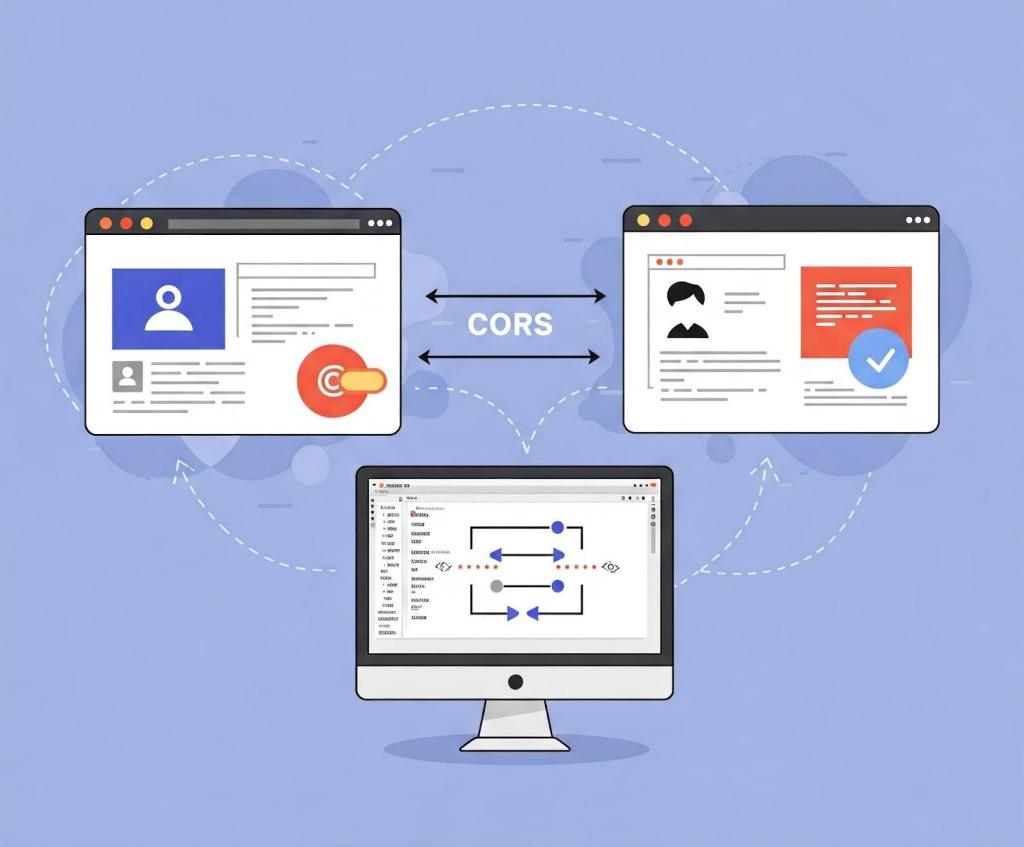
There are many different types of vulnerabilities that can occur when setting up CORS for your web application, and insecure usage of CORS frameworks and logic errors in homemade CORS implementations can lead to serious security vulnerabilities that allow attackers to bypass authentication. What’s more, attackers can utilize CORS misconfigurations to escalate the severity of other existing vulnerabilities in web applications to access services on the intranet. In this blog post, I’ll show how developers and security researchers can use CodeQL to model their own libraries, using work that I’ve done on CORS frameworks in Go as an example. Since the techniques that I used are useful for modeling other frameworks, this blog post can help you model and find vulnerabilities in your own projects. Because static analyzers like CodeQL have the ability to get the detailed information about structures, functions, and imported libraries, they’re more versatile than simple tools like grep. Plus, since CORS frameworks often use set configurations via specific structures and functions, using CodeQL is the easiest way to find misconfigurations in your codebases. Modeling headers in CodeQL When adding code to CodeQL, it’s best practice to always check the related queries and frameworks that are already available so that we’re not reinventing the wheel. For most languages, CodeQL already has a CORS query that covers many of the default cases. The easiest and simplest way of implementing CORS is by manually setting the  Access-Control-Allow-Origin and Access-Control-Allow-Credentials response headers. By modeling the frameworks for a language (e.g., Django, FastAPI, and Flask), CodeQL can identify where in the code those headers are set. Building on those models by looking for specific header values, CodeQL can find simple examples of CORS and see if they match vulnerable values. In the following Go example, unauthenticated resources on the servers could be accessed by arbitrary websites. func saveHandler(w http.ResponseWriter, r *http.Request) { w.Header().Set(“Access-Control-Allow-Origin”, “*”) } This may be troublesome for web applications that do not have authentication, such as tools intended to be hosted locally, because any dangerous endpoint could be accessed and exploited by an attacker. This is a snippet of the Go http framework where CodeQL models the Set method to find security-related header writes for this framework. Header writes are modeled by the HeaderWrite class in HTTP.qll, which is extended by other modules and classes in order to find all header writes. /** Provides a class for modeling new HTTP header-write APIs. */ module HeaderWrite { /** * A data-flow node that represents a write to an HTTP header. * * Extend this class to model new APIs. If you want to refine existing API models, * extend `HTTP::HeaderWrite` instead. */ abstract class Range extends DataFlow::ExprNode { /** Gets the (lower-case) name of a header set by this definition. */ string getHeaderName() { result = this.getName().getStringValue().toLowerCase() } Some useful methods such as getHeaderName and getHeaderValue can also  help in developing security queries related to headers, like CORS misconfiguration. Unlike the previous code example, the below pattern is an example of a CORS misconfiguration whose effect is much more impactful. func saveHandler(w http.ResponseWriter, r *http.Request) { w.Header().Set(“Access-Control-Allow-Origin”, r.Header.Get(“Origin”)) w.Header().Set(“Access-Control-Allow-Credentials”, “true”) } Reflecting the request origin header and allowing credentials permits an attacking website to make requests as the current logged in user, which could compromise the entire web application. Using CodeQL, we can model the headers, looking for specific headers and methods in order to help CodeQL identify the relevant security code structures to find CORS vulnerabilities. /** * An `Access-Control-Allow-Credentials` header write. */ class AllowCredentialsHeaderWrite extends Http::HeaderWrite { AllowCredentialsHeaderWrite() { this.getHeaderName() = headerAllowCredentials() } } /** * predicate for CORS query. */ predicate allowCredentialsIsSetToTrue(DataFlow::ExprNode allowOriginHW) { exists(AllowCredentialsHeaderWrite allowCredentialsHW | allowCredentialsHW.getHeaderValue().toLowerCase() = “true” Here, the HTTP::HeaderWrite class, as previously discussed, is used as a superclass for AllowCredentialsHeaderWrite, which finds all header writes of the value Access-Control-Allow-Credentials. Then, when our CORS misconfiguration query checks whether credentials are enabled, we use AllowCredentialsHeaderWrite as one of the possible sources to check. The simplest way for developers to set a CORS policy is by setting headers on HTTP responses in their server. By modeling all instances where a header is set, we can check for these CORS cases in our CORS query.  When modeling web frameworks using CodeQL, creating classes that extend more generic superclasses such as HTTP::HeaderWrite allows the impact of the model to be used in all CodeQL security queries that need them. Since headers in web applications can be so important, modeling all the ways they can be written to in a framework can be a great first step to adding that web framework to CodeQL. Modeling frameworks in CodeQL Rather than setting the CORS headers manually, many developers use a CORS framework instead.  Generally, CORS frameworks use middleware in the router of a web framework in order to add headers for every response. Some web frameworks will have their own CORS middleware, or you may have to include a third-party package. When modeling a CORS framework in CodeQL, you’re usually modeling the relevant structures and methods that signify a CORS policy. Once the modeled structure or methods have the correct values, the query should check that the structure is actually used in the codebase. For frameworks, we’ll look into Go as our language of choice since it has great support for CORS. Go provides a couple of CORS frameworks, but most follow the structure of Gin CORS, a CORS middleware framework for the Gin web framework. Here’s an example of a Gin configuration for CORS: package main import ( “time” “github.com/gin-contrib/cors” “github.com/gin-gonic/gin” ) func main() { router := gin.Default() router.Use(cors.New(cors.Config{ AllowOrigins: []string{“https://foo.com”}, AllowMethods: []string{“PUT”, “PATCH”}, AllowHeaders: []string{“Origin”}, ExposeHeaders: []string{“Content-Length”}, AllowCredentials: true, AllowOriginFunc: func(origin string) bool { return origin == “https://github.com” } })) router.Run() } Now that we’ve modeled the router.Use method and cors.New — ensuring that cors.Config structure is at some point put into a router.Use function for actual use — we should then check all cors.Config structures for appropriate headers. Next, we find the appropriate headers fields

tech blog

Empowering Innovation with Dell Cyber Resilience

Threats evolve. So do we. Discover why Dell consistently sets the standard in cyber resilience, year after year.   ​  ​Threats evolve. So do we. Discover why Dell consistently sets the standard in cyber resilience, year after year. Cyber Resilience Blog | Dell

tech blog

CVE-2025-53367: An exploitable out-of-bounds write in DjVuLibre

DjVuLibre version 3.5.29 was released today. It fixes CVE-2025-53367 (GHSL-2025-055), an out-of-bounds (OOB) write in the MMRDecoder::scanruns method. The vulnerability could be exploited to gain code execution on a Linux Desktop system when the user tries to open a crafted document. DjVu is a document file format that can be used for similar purposes to PDF. It is supported by Evince and Papers, the default document viewers on many Linux distributions. In fact, even when a DjVu file is given a filename with a .pdf extension, Evince/Papers will automatically detect that it is a DjVu document and run DjVuLibre to decode it. Antonio found this vulnerability while researching the Evince document reader. He found the bug with fuzzing. Kev has developed a proof of concept exploit for the vulnerability, as demoed in this video. The POC works on a fully up-to-date Ubuntu 25.04 (x86_64) with all the standard security protections enabled. To explain what’s happening in the video: Kev clicks on a malicious DjVu document in his ~/Downloads directory. The file is named poc.pdf, but it’s actually in DjVu format. The default document viewer (/usr/bin/papers) loads the document, detects that it’s in DjVu format, and uses DjVuLibre to decode it. The file exploits the OOB write vulnerability and triggers a call to system(“google-chrome https://www.youtube.com/…”). Rick Astley appears. Although the POC is able to bypass ASLR, it’s somewhat unreliable: it’ll work 10 times in a row and then suddenly stop working for several minutes. But this is only a first version, and we believe it’s possible to create an exploit that’s significantly more reliable. You may be wondering: why Astley, and not a calculator? That’s because /usr/bin/papers runs under an AppArmor profile. The profile prohibits you from starting an arbitrary process but makes an exception for google-chrome. So it was easier to play a YouTube video than pop a calc. But the AppArmor profile is not particularly restrictive. For example, it lets you write arbitrary files to the user’s home directory, except for the really obvious one like ~/.bashrc. So it wouldn’t prevent a determined attacker from gaining code execution. Vulnerability Details The MMRDecoder::scanruns method is affected by an OOB-write vulnerability, because it doesn’t check that the xr pointer stays within the bounds of the allocated buffer. During the decoding process, run-length encoded data is written into two buffers: lineruns and prevruns: //libdjvu/MMRDecoder.h class DJVUAPI MMRDecoder : public GPEnabled { … public: unsigned short *lineruns; … unsigned short *prevruns; … } The variables named pr and xr point to the current locations in those buffers.  scanruns does not check that those pointers remain within the bounds of the allocated buffers. //libdjvu/MMRDecoder.cpp const unsigned short * MMRDecoder::scanruns(const unsigned short **endptr) { … // Swap run buffers unsigned short *pr = lineruns; unsigned short *xr = prevruns; prevruns = pr; lineruns = xr; … for(a0=0,rle=0,b1=*pr++;a0 < width;) { … *xr = rle; xr++; rle = 0; … *xr = rle; xr++; rle = 0; … *xr = inc+rle-a0; xr++; } This can lead to writes beyond the allocated memory, resulting in a heap corruption condition. An out-of-bounds read with pr is also possible for the same reason. We will publish the source code of our proof of concept exploit in a couple of weeks’ time in the GitHub Security Lab repository. Acknowledgements We would like to thank Léon Bottou and Bill Riemers for responding incredibly quickly and releasing a fix less than two days after we first contacted them! Timeline 2025-07-01: Reported via email to the authors: Léon Bottou, Bill Riemers, Yann LeCun. 2025-07-01: Responses received from Bill Riemers and Léon Bottou. 2025-07-02: Fix commit added by Léon Bottou: https://sourceforge.net/p/djvu/djvulibre-git/ci/33f645196593d70bd5e37f55b63886c31c82c3da/ 2025-07-03: DjVuLibre version 3.5.29 released: https://sourceforge.net/p/djvu/www-git/ci/9748b43794440aff40bae066132aa5c22e7fd6a3/  The post CVE-2025-53367: An exploitable out-of-bounds write in DjVuLibre appeared first on The GitHub Blog. ​ Security, Vulnerability research, CVE, GitHub Security Lab, linux, open source The GitHub Blog

tech blog

From idea to PR: A guide to GitHub Copilot’s agentic workflows

I got into software to ship ideas, not to chase down hard-coded strings after a late-breaking feature request. Unfortunately, many of our day-to-day tasks as developers involve branches working on boilerplate code, refactoring, and the “pre-work” to get to the fun stuff: shipping new features. So I turned to Copilot’s agentic workflows to help speed along some of that grunt work. In my latest Rubber Duck Thursdays live stream, I put that theory to the test in a project where I wanted to localize an application that used: Tech stack: a Next.js web app and a matching SwiftUI iOS app living in two separate GitHub repos. Environment: spun up rapidly in Codespaces (on-demand dev environment) and Xcode 16 for the mobile portion. Task: an issue built from a couple of paragraphs to “Add English, French, and Spanish localization.” Copilot tools: coding agent (to turn that issue into a PR), a custom planning chat mode (to try out the new preview capabilities in VS Code), and the new remote GitHub MCP server (so we can avoid managing those dependencies in our dev environment). By the end of my stream, that idea became a GitHub issue, which turned into a fully tested, review-ready PR while I fielded chat questions, and learned about the preview custom chat mode features in VS Code. Let’s dive in. Why I use agentic workflows Even seasoned developers and teams still burn hours on jobs like: Turning vague requests into well-scoped issues Hunting down every file in a cross-cutting refactor Writing the same unit-test scaffolding again and again Copilot’s ability to create issues, along with its coding agent, custom chat modes in VS Code, and the new remote MCP backend fold those chores into one tight loop—issue to PR—while you stay firmly in the driver’s seat. You still review, tweak, and decide when to merge, but you skip the drudgery. Key capabilities covered in this livestream  Capability What it does Why it matters How to enable and use it Coding agent Turns any GitHub Issue you assign to Copilot into a PR, and works on that task asynchronously. Allows you to offload the boilerplate work while you focus on reviews and edge case logic. Learn how to enable Copilot coding agent.  Create issues with Copilot Converts a natural-language prompt into a well-structured Issue with title, body, acceptance criteria, and file hints. Saves PM/eng refining and sets team members, or Copilot coding agent, up with the context they need to work effectively. Navigate to github.com/copilot and write a prompt to create an issue. Learn more about using Copilot to create issues. Custom chat modes (in preview in VS Code) Lets you script repeatable AI workflows (e.g., Planning, Refactor, Test-Writer) that appear alongside the default Ask / Edit / Agent chat modes. Allows you to package instructions and relevant tools for easier use, helping your team follow similar conventions. Add a .chatmode.md file to your repo; available in preview in VS Code release 1.101. Learn more about custom chat modes in VS Code. Remote GitHub MCP Server Allows AI tools to access live GitHub context and tools, like issues, pull requests and code files. With the remote GitHub MCP server, you don’t need to install it locally, and can even authenticate with OAuth 2.0. Provides a smooth experience to accessing the GitHub MCP server, reducing the management overhead of a local server. Update your MCP configuration with the example shown in the remote GitHub MCP Server documentation.  Copilot agent mode Copilot agent mode is a real‑time collaborator that sits in your editor, works with you, and edits files based on your needs. Unlike the coding agent, Copilot agent mode works synchronously with you. Think of agent mode as the senior dev pair programming with you. It has access to several tools (like reading/writing code, running commands in the terminal, executing tools on MCP servers), and works alongside you. Copilot agent mode is available in several IDEs including VS Code, Visual Studio, JetBrains (public preview), Eclipse (public preview) and Xcode (public preview). What you need to achieve a similar outcome A GitHub repo you can push to A Copilot subscription with coding agent enabled. (Did you know it’s now available for all paid tiers of GitHub Copilot including Copilot Business and Copilot Pro?) VS Code 1.101+ with the latest Copilot extension. Either: GitHub Remote MCP server (update your MCP configuration), or a local GitHub MCP server. Walk-through: localizing a Next.js app Here’s the exact flow I demoed on the most recent Rubber Duck Thursdays stream. 1. Capture the request as a GitHub Issue Go to the immersive view of Copilot Chat. At the bottom of the page, in the “Ask Copilot” box, describe what you want. For example, below is the prompt that I used.  Create a GitHub Issue that brings i11n capability to the application. We must support English, French and Spanish. The user must be able to change their language in their profile page. When they change the language, it must apply immediately across the site. Please include an overview/problem statement in the issue, a set of acceptance criteria, and pointers on which files need updating/creating. Copilot drafts that into an issue, which includes a title, acceptance criteria, and a loose action plan. From there, you can assign that issue to Copilot, and let it cook in the background.  2. Let the coding agent turn the issue into a PR Shortly after assignment, the coding agent: Creates a branch Starts a new session. If you have a copilot-setup-steps.yml configured, then a development environment will be configured before Copilot gets to work. Reviews the task at hand, explores the current state of the codebase, and forms a plan to complete the task. If you have any custom instructions configured, then the coding agent will also use those as context. For example, we specify that npm run lint and npm run test should pass before committing. Once complete, it opens a draft PR for your review. While that runs, you

tech blog

5 ways to transform your workflow using GitHub Copilot and MCP

Traditional AI coding assistants typically operate in isolation, limited to the code in your current workspace. Now with the introduction of the Model Context Protocol (MCP), AI development workflows are further evolving to incorporate more tools and context.  MCP can enable AI assistants to interact with external systems like knowledge bases, data stores, and testing applications. What is MCP, anyway? The Model Context Protocol (MCP) is an open standard developed by Anthropic that helps AI assistants like GitHub Copilot securely connect to external data sources and tools. MCP addresses a common challenge with Large Language Models (LLMs): providing the right context to generate accurate and useful responses. MCP standardizes how AI tools access external context—such as your codebase, documentation, or design specifications—and makes it easier to bring this context into your development workflow. For a deeper dive into MCP and why it’s gaining popularity, check out Cassidy Williams’s article on the GitHub Blog. The real value of MCP integration is that you can now perform tasks that previously required multiple tools, context switching, and manual effort—all directly in your IDE. That means you can save time, maintain focus, and ship code faster. In this article, we’ll explore five practical ways MCP integrations with GitHub Copilot can streamline your workflow. We’ll follow a realistic scenario: implementing a secure JWT (JSON Web Token) authentication system for a web application, illustrating an end-to-end workflow with MCP. Let’s jump in.  1. Using MCP to bridge design and development with Figma  The gap between design and development has long been a source of friction in product teams. MCP provides a standardized way for GitHub Copilot to securely access and interpret design specifications directly.  Instead of manually translating design details into code, MCP enables Copilot to automatically retrieve exact design parameters—such as colors, spacing, typography, and component states—and generate accurate, ready-to-use code. This integration reduces guesswork and streamlines the handoff between designers and developers. Explore GitHub Copilot’s agentic capabilities GitHub Copilot comes with two powerful agentic workflows that can be used with MCP: Agent mode (in your IDE): Turn Copilot Chat into a real-time collaborator that works with you. Give it a goal (“add OAuth & tests”), and it plans, edits files, runs the suite, reads failures, fixes them, and loops until everything is green—all right in front of you, with the option to pause or steer at any step. Coding agent (in your GitHub projects): Hand an Issue to Copilot and walk away. It spins up a protected workspace with GitHub Actions, writes code, runs linters/tests, and opens a pull request for you to review. Perfect for well-scoped tickets you’d give a junior dev (docs, tests, small refactors) while you stay focused elsewhere.  TL;DR: Think of Agent mode as a co-driver at your keyboard; the Coding agent is the valet that brings the finished work to your repo. Learn more > We’ll start developing our new JWT authentication system by taking a look at the user-facing side. Let’s say the design team updated the authentication UI components in Figma, including login forms, error states, loading spinners, and success messages. Now, you need to implement these changes to match the new design system. Start by asking Copilot, “What are the latest design updates for the login form and authentication components?” It will then retrieve specs for the elements that need to change. Then you can prompt it to create React components for each element: LoginForm with exact spacing, colors, typography AuthErrorMessage component with proper error styling TokenRefreshNotification component Copilot will then give you ready-to-use code that maintains consistency with the design specifications from Figma. Learn more about Figma’s MCP server beta > 2. Tap into your Obsidian knowledge base with MCP When implementing complex features like JWT authentication, you often need to reference past decisions, architectural notes, and research findings scattered across your knowledge base. The unofficial, community-maintained Obsidian MCP server bridges this gap by connecting GitHub Copilot directly to your Obsidian vault. Let’s say you’re implementing JWT token validation and need to understand your team’s previous security decisions. You tell Copilot: “Search for all files where JWT or token validation is mentioned and explain the context.” With that, Copilot can: Search across all Markdown files in your vault for relevant security patterns Retrieve contents from specific architecture decision records (ADR) Access meeting notes from previous security reviews Pull implementation guidelines from your team’s coding standards You might follow up with the following prompt: “Get the contents of the last architecture call note about authentication and summarize the key decisions.” Copilot will locate the relevant file and extract the critical information you need to inform your implementation approach. Once you’ve gathered the necessary context, you can ask Copilot to synthesize this information: “Create a new note called ‘jwt-implementation-summary.md’ that combines our authentication standards with the new JWT approach.” Copilot will create this documentation directly in your vault, helping maintain your team’s knowledge base. Setup note: This integration requires the community “Obsidian Local REST API” plugin and an API key. With your research complete and documented, you can proceed to test your application. Learn more about accessing Obsidian through MCP > 3. Test your code with Playwright Integrating MCP with Playwright transforms test creation from a manual, error-prone process into a simple, guided experience. Modern web applications often involve complex user journeys, asynchronous operations, and dynamic content. Authentication flows are particularly challenging to test comprehensively. Continuing with our JWT authentication system, you need to test the complete authentication flow including login, token refresh, and secure route access. To do this, you’ll start by giving Copilot a prompt like this: “Test the JWT authentication flow including login, automatic token refresh, and access to protected routes.” From there, Copilot will analyze your authentication implementation and generate comprehensive test coverage. But it doesn’t stop there. Copilot then runs the tests with Playwright and provides immediate feedback on failures, suggesting fixes for common issues, like timing problems or selector changes. Learn more about the Playwright MCP server > 4. File

Scroll to Top