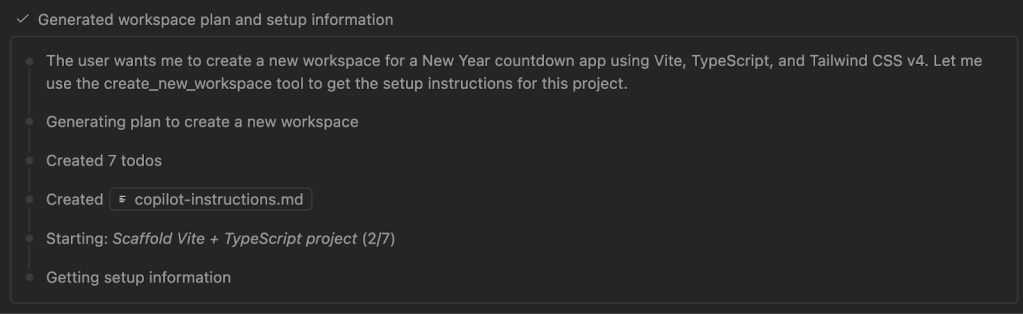
In our last Rubber Duck Thursdays stream of 2025, I wanted to build something celebratory. Something that captures what Rubber Duck Thursdays is all about: building together, learning from mistakes, and celebrating everyone who tunes in from across the world. Along the way, I picked up practical patterns for working with AI that you can apply to your own projects, whether you’re building a countdown app or something entirely different. From managing context windows to avoid cluttered conversations, to using the Plan agent for requirement discovery, to catching edge cases through test-driven development with Copilot. And… why world maps are harder than they look. 👀 See the full stream below. 👇 Starting simple: The basic countdown Countdown timers are a straightforward concept. Days countdown to hours. Minutes countdown to seconds. But sometimes it’s the simple ideas that allow us to be our most creative. I figured I’d use this as an opportunity to use Copilot in a spec or requirements-driven approach, to build a countdown app that brought anticipation and displayed fireworks as it turned to the new year. 💡What is spec-driven development? Instead of coding first and writing docs later, spec-driven development, you guessed it, starts with a spec. This is a contract for how your code should behave and becomes the source of truth your tools and AI agents use to generate, test, and validate code. The result is less guesswork, fewer surprises, and higher-quality code. Get started with our open source Spec Kit > Fortunately, software development is an iterative process and this livestream embraced that fully. While some requirements were well-defined, others evolved in real time, shaped by suggestions from our livestream audience. Custom agents like the Plan agent helped bridge the gap, turning ambiguous ideas into structured plans I could act on. So let’s start at the very beginning, setting up the project. I generated a new workspace with GitHub Copilot, using a very specific prompt. The prompt explained that we’re building a countdown app and that I wanted to use Vite, TypeScript, and Tailwind CSS v4. It also explained some of the requirements including the dark theme, centred layout, large bold digits with subtle animation, target midnight on January, 2026 by default, with some room for customizations. #new 1. Create a new workspace for a New Year countdown app using Vite, TypeScript, and Tailwind CSS v4. **Setup requirements:** – Use the @tailwindcss/vite plugin (Tailwind v4 style) – Dark theme by default (zinc-900 background) – Centered layout with the countdown as the hero element **Countdown functionality:** Create a `countdown.ts` module with: – A `CountdownTarget` type that has `{ name: string, date: Date }` so we can later customize what we’re counting down to – A `getTimeRemaining(target: Date)` function returning `{ days, hours, minutes, seconds, total }` – A `formatTimeUnit(n: number)` helper that zero-pads to 2 digits – Default target: midnight on January 1st of NEXT year (calculate dynamically from current date) **Display:** – Large, bold countdown digits (use tabular-nums for stable width) – Labels under each unit (Days, Hours, Minutes, Seconds) – Subtle animation when digits change (CSS transition) – Below the countdown, show: “until [target.name]” (e.g., “until 2026”) **Architecture:** – `src/countdown.ts` – pure logic, no DOM – `src/main.ts` – sets up the interval and updates the DOM – Use `requestAnimationFrame` or `setInterval` at 1 second intervals – Export types so they’re reusable Keep it simple and clean—this is the foundation we’ll build themes on top of. What I love about the “generate new workspace” feature is that Copilot generated custom instruction files for me, automatically capturing my requirements, including the countdown app, Vite, TypeScript, and dark theme. It was all documented before writing a single line of code. Within minutes, I had a working countdown. Days, hours, minutes, and seconds ticking down to 2026. While it worked, it wasn’t visually exciting. In fairness, I hadn’t specified any design or theme preferences in my initial prompt. So it was time to iterate and make it more interesting. The community suggestion that steered our course During the stream, viewers were joining from India, Nigeria, Italy, the United States (the list goes on!); developers from around the world, coming together to learn. One person in the chat made a suggestion that adjusted what we’d do next: What about time zones? It wasn’t a requirement I’d expected to work on during the stream, so I didn’t have a clear plan of how it would work. Maybe there is a globe that you could spin to select timezones. Maybe there was a world map with a time travel theme. That’s a lot of maybes. My requirements were vague, which was where I turned to the Plan agent. Plan agent: The questions I hadn’t thought to ask I’ve been using Plan agent more deliberately lately, especially when I feel that my requirements aren’t fully defined. The Plan agent doesn’t create a plan based on my initial prompt, it asks clarifying questions that can reveal edge cases you may not have considered. I gave it my rough idea: interactive time zone selector, time travel theme, animate between zones, maybe a world map. The Plan agent came back with questions that made me think: Question Why it mattered Should the circular dial be primary with the world map as secondary, or vice versa? I hadn’t decided the visual hierarchy What happens on mobile: dropdown fallback or touch-friendly scroll? I was only thinking of a desktop implementation for this initial version. Mobile could be a future requirement. When a time zone passes midnight, show “already celebrating” with confetti, or a timer showing how long since midnight? I wanted the celebration, not a reverse countdown. I wasn’t clear on my requirements. Would there be subtle audio feedback when spinning the dial, or visual only? Bringing audio into the app was scope creep, but it could be a future requirement. This is the beauty of working with AI in this way. The Plan agent makes you think, potentially asking a clarifying question and offering