INITIALIZING
tech blog

Your guide to GitHub Universe 2026 is here: The schedule just launched!

The GitHub Universe 2026 schedule just dropped, and it’s full of exciting sessions, demos, and panels covering the potential of AI-powered development. If you haven’t registered yet, here’s what you need to know. This two-day event brings together some of the greatest minds in tech, with experts from companies like AMD, Figma, NVIDIA, Coinbase, Anthropic, and OpenAI leading our sessions. They’re covering everything from delegating real work to Copilot and measuring AI at enterprise scale to fine-grained security for MCP servers. You’ll also have the chance to chat with the GitHub team one-on-one, get your questions answered, and even pick up some career advice. Did we mention the Ship & Tell sessions where teams show what they’ve built, and partner booths where you can demo the latest tech? When: October 28-29 Where: Fort Mason Center, San Francisco, CA One thing first: register before August 19 and save $300 with Early Bird passes. Prices go up after that, so if Universe is already on your list, now’s the moment. The best part? You can stack savings with our group discounts. Register now Here’s a sneak peek of some of the sessions we have planned. You can jump to the full agenda right here. Be sure to mark your favorites to build your own personal calendar. Find your flow Some of the best moments at Universe happen heads-down: working through a real problem, configuring something on your own machine, and walking out with a project you can actually use. This year’s catalog leans into that with learnings you can take straight back to your repositories. A few sessions to start with: Stop prompting, start delegating: Configure Copilot to own the workKen Muse, GitHub; Mickey Gousset, GitHubLearn how the right Copilot configuration turns AI into something you can trust with complex tasks. Layer Copilot’s full stack onto a TypeScript app, and you’ll leave with a working project and a clear sense of which capability fits which task, so you can delegate more and prompt less. Inside GitHub Copilot’s coding harness: Optimizing across every modelJulia Kasper, MicrosoftShipping a coding agent that works across OpenAI, Claude, Gemini, and whatever drops next week takes a harness. See the evaluation framework the GitHub Copilot team uses to test and optimize its agent across every model: reproducible benchmarks, thousands of autonomous coding tasks, and LLM-graded assertions that catch regressions before users do. Stop waiting on your own pull requests: GitHub stacked pull requests in practiceSameen Karim, GitHubStacked pull requests let you split changes into smaller, dependent pull requests that move through review efficiently while preserving the full picture. This demo builds a stack with the GitHub CLI, reviews it on github.com, and merges each pull request as it’s ready—so you leave with a workflow you can use tomorrow. Find your people Hallway conversations, a question that reframes your whole approach, the engineer who already solved the thing you’re stuck on. This year’s agenda is filled with sessions for exactly that. Plus, hallway tracks, partner booths, and Ship & Tell sessions where teams show what they’ve actually built. A few sessions worth your time: Building AI fluency at UPSJared Hatfield, UPSGetting developers to try GitHub Copilot is simple; getting them fluent with it—using agents to plan, write, and ship real work—is the harder challenge. See how UPS moves developers from awareness to fluency, why motivation and measurement matter as much as the tooling, and where to focus first at enterprise scale. Code is the easy part: Building Home Assistant in the openFranck Nijhof, Open Home Foundation“Building in the open” usually means one thing: code on GitHub. But the hard work starts long before code—ideas, UX, design, architecture, the roadmap itself. At Home Assistant, every step happens in the open across 20,000 contributors and a dozen GitHub organizations. See how the Open Home Foundation runs its whole roadmap with issues, projects, and discussions, including the harder parts, like being wrong in public, fixing it in public, and proving you don’t have to be technical to contribute. I made my Octolamp think with GitHub Copilot CLI hooksBeatris Mendez Gandica, Nuevo FoundationWhat if your desk lamp could show when GitHub Copilot CLI is thinking? Using the native hooks system, Beatris Mendez Gandica made hers breathe green when the agent works, go white when idle, and blink red on errors. No prompting tricks, just system-level lifecycle events driving a physical light via the WLED API. In this session, you’ll see how Copilot CLI hooks work under the hood, and leave knowing how to write your own for any use case. Build what’s next Want to know what’s on the horizon? These are the talks that pull back the curtain on where AI-assisted development is heading. The view from the labs: What’s next for AI-assisted developmentCara Phillips, Anthropic; Rohan Varma, OpenAI; Kate Catlin, GitHubThe people building frontier AI models see where capabilities are heading before anyone else. This interactive panel brings leaders from Anthropic, OpenAI, and other labs that power GitHub Copilot together for a candid look at the next two years of AI-assisted development, and what it means for you. Open pull requests, don’t merge them: Fine-grained authorization for hosted MCP serversNick Taylor, PomeriumHosted MCP servers hand every agent everything its human can do: OAuth in, broad scope out, one global toggle. But what if an agent should open a pull request and leave the merge to a reviewer? See a pattern that works today: an identity-aware proxy that adds per-identity authorization in front of any hosted MCP server with no changes upstream, demonstrated live with Copilot doing exactly that. From writing code to managing agents: Scaling 50+ services at GitHubAnjuan Simmons, GitHubGitHub’s Lifecycle team traded hand-coding fixes across 50+ services for an agentic pipeline where AI agents classify issues, research codebases, write implementation plans, and open draft pull requests automatically. Get the real lessons and numbers from running it at GitHub’s own scale: how it was built with GitHub Actions and Copilot, where automation pays off most, and why engineers still
tech blog

How canvases make agentic workflows visible, steerable, and cost-efficient

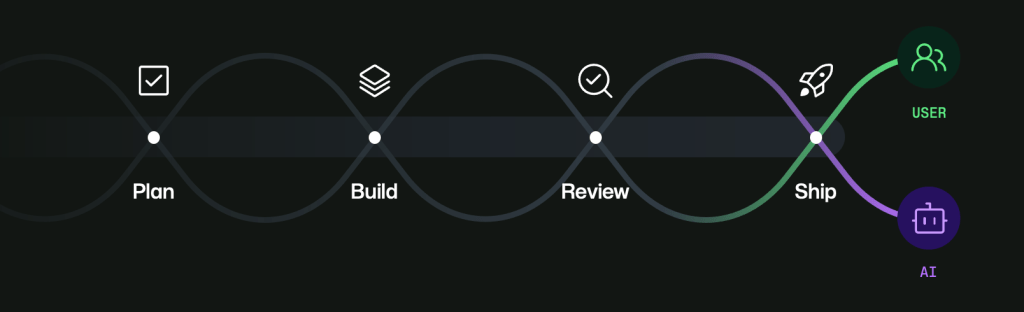
When I was in college, I joined the beta for one of the first versions of AI inline completions in VS Code. It felt like a game changer. Since then, GenAI has fundamentally changed software development: hybrid teams where agents and humans work in tandem, with the developer at the center as visionary and orchestrator. We are living in that transition right now. As a natural byproduct of how fast innovation in GenAI has moved, we now have tools to help us plan, build, review, and ship code. But in the current state, many workflows still feel disjointed. Context gets lost across threads and surfaces, and too much time gets spent reviewing agent-generated work. Agents can produce changes faster than any human can review them, and most developer tools were not originally designed for multi-agent orchestration. It becomes easy to lose track of what ran, what changed, what was validated, and what still needs human judgment. The GitHub Copilot app is a major step toward addressing this. One feature in particular that I’ve learned to love and use almost every day is canvases. Canvases let developers and agents interact on a durable, shared surface. Instead of treating chat as the only place where work happens, canvases make work visible, steerable, and approvable as it unfolds. Chat is great for intent, but weak for durable execution I still believe chat is one of the best interfaces we have for intent. It’s where you can think, refine, and direct. It’s fast and flexible, especially when the problem is still ambiguous. But once an agent starts doing real work, chat becomes a long scroll of instructions, logs, pivots, and corrections. The important parts are technically there, but buried: the plan, decision points, validations, and approval moments. If you have to reconstruct all of that from history, you’re already paying a coordination tax. Canvases solve that by giving workflows a home. They make state explicit and persistent. Humans can inspect and guide. Agents can update and progress. Both can stay aligned without constantly replaying context. The first build: Java Modernization Studio One of the first canvases I built was Java Modernization Studio. Java modernization is exactly the kind of workflow where visibility and governance matter: assessment, planning, migration tasks, validation gates, and readiness to ship. In a chat-only experience, those steps blur together. You can still move forward, but it gets harder to audit and harder to trust at scale, especially with multiple contributors. Teams keep asking the same expensive questions: What stage are we in? What decisions were made? What is blocked? What still needs human approval? The studio made each phase explicit and inspectable. Instead of parsing narrative history, teams could see operational state directly. Instead of guessing what happened, they could verify it. Human reviewers could focus on high-signal judgments while agents kept execution moving between checkpoints. Explore the Java Modernization Studio canvas > The second build: Site Studio After that, I built Site Studio for a very different workflow: creating and managing personal site content. It’s content-heavy rather than migration-heavy, but the orchestration challenge is similar: section progress, iterative edits, review loops, and status transitions. In a chat-only flow, content can drift quickly. A section gets revised, then revised again, and confidence drops in what is current. Feedback gets scattered, drafts repeat, and momentum slows because each iteration starts by rebuilding context. Site Studio keeps that state durable. Section status is visible. Draft values are persisted as work happens. Human review points are explicit. The agent can keep moving while the human can steer, approve, or redirect without losing the thread. Explore the Site Studio canvas > The repeatable pattern Across both canvases, I found the same repeatable blueprint: Define workflow states clearly. Surface the decisions that matter. Persist progress and drafts immediately. Keep explicit human approval points. This shifts the model from prompt-by-prompt interaction to durable collaborative workflows. You stop treating each turn like a fresh start and start treating each workflow like a system with memory, structure, and control. Cost and efficiency: yes, canvases are an investment I also want to be explicit about cost: canvases can be an investment. For instance, Site Studio cost me about 2,000 AI credits, and the modernization canvas cost me about 3,000 AI credits. They take effort to design and shape well. But in the long run, especially for repeated workflows, that investment pays back. Durable surfaces reduce repeated prompting, reduce context loss, reduce unnecessary back-and-forth, and reduce rework. Over time, that can save both time and money while improving trust and throughput. So for me, this is not “spend more tokens for nicer UX.” It’s “invest in better workflow architecture so recurring work becomes more efficient, predictable, and governable.” Available now in awesome-copilot The canvases I built—Java Modernization Studio and Site Studio—are available in awesome-copilot for anyone who wants to use them, adapt them, or learn from them. If you are already using Copilot agents, a practical next step is to pick one repeated workflow and build a minimal canvas around it with /create-canvas. Start small, run real work, and iterate from actual usage. If it helps your team, contribute it back to awesome-copilot so others can benefit too. We’re still early in this transition, but the direction is clear. Agents can accelerate execution. Humans provide vision, judgment, and accountability. Canvases are one way to make that partnership real, durable, and scalable. Build your own canvas with /create-canvas and contribute it back to awesome-copilot > The post How canvases make agentic workflows visible, steerable, and cost-efficient appeared first on The GitHub Blog. ​ AI & ML, GitHub Copilot, awesome-copilot, canvases, developer productivity, GitHub Copilot app The GitHub Blog

tech blog

ITMAITY – Delivering Quality. Keeping Promises. Putting Clients First

In today’s competitive business environment, success depends on more than simply delivering a product or service. Businesses need quality, reliability, timely delivery, and a trusted technology partner who understands their goals. At ITMAITY, we believe in delivering excellence at every stage — from understanding client requirements to developing solutions and providing reliable support. Quality Is Our Commitment Quality is not just a promise at ITMAITY — it is our habit. We maintain high standards across our products and services through rigorous quality checks, reliable technology, and a commitment to consistent performance. Our goal is to provide solutions that businesses can depend on for the long term. High Standards • Tested & Trusted • Built to Perform On-Time Delivery, Every Time We understand that time is valuable in business. Delays can affect productivity, operations, and growth. That’s why ITMAITY focuses on punctual project delivery while maintaining the quality our clients expect. Your Deadline, Our Commitment. We strive to deliver projects and solutions on schedule, helping businesses move forward without unnecessary delays. Client-Centric Approach At ITMAITY, our clients are at the center of everything we do. We listen carefully, understand business requirements, and focus on creating solutions that deliver real value. From the initial discussion to final delivery and ongoing support, we work toward building long-term relationships based on trust. Our approach is simple: Why Choose ITMAITY? Whether you need technology solutions, digital services, software development, IT support, or business automation, ITMAITY combines quality, innovation, timely execution, and customer-focused service to help your business grow. Innovate • Develop • Deliver We don’t just deliver products or services — we deliver excellence. Get in Touch with ITMAITY Looking for a reliable technology partner for your business? 📧 Email: info@itmaity.com📞 Contact: +9187590 27112🌐 Website: www.itmaity.com ITMAITY — Quality in Every Solution. Timely in Every Delivery. Client-Centric in Everything We Do.

tech blog

Happy 80th Independence Day from ITMAITY 🇮🇳

India’s 80th Independence Day is a celebration of our nation’s remarkable journey, unity, freedom, and the vision of a stronger future. At ITMAITY, we believe technology and innovation play an important role in building a smarter, more connected, and digitally empowered India. From websites and mobile applications to cloud solutions, digital marketing, software development, and business automation, we are committed to helping businesses grow with the power of technology. 🇮🇳 Building a Smarter India with Innovation & Technology As we celebrate this proud occasion, let us continue to embrace innovation, entrepreneurship, digital transformation, and technology to create new opportunities and contribute to the growth of our nation. At ITMAITY, our mission is to empower businesses with reliable and modern digital solutions so they can Launch, Grow & Succeed in the digital era. Our Vision 💻 Digital Innovation🚀 Business Growth🌐 Digital Transformation🤝 Technology That Empowers🇮🇳 Building a Smarter India Wishing everyone a very Happy 80th Independence Day! Let’s move forward together towards a stronger, smarter, and digitally empowered India. 📞 Connect with ITMAITY ITMAITY🌐 Website: www.itmaity.com📧 Email: info@itmaity.com📱 Contact: +91 87590 27112 Jai Hind! 🇮🇳 #HappyIndependenceDay #IndependenceDay2026 #80thIndependenceDay #ITMAITY #DigitalIndia #Innovation #Technology #DigitalTransformation #MakeInIndia #StartupIndia #BusinessGrowth #SmartIndia #ProudIndian #JaiHind

tech blog

🚀 Launch Your E-Commerce Website & Mobile App with ITMAITY

In today’s digital-first world, having a strong online presence is essential for businesses that want to launch, grow, and succeed. Whether you are starting a new online store or taking your existing business to the next level, ITMAITY provides complete e-commerce website and mobile app development solutions tailored to your business needs. 🛒 Build Your Powerful E-Commerce Business with ITMAITY ITMAITY helps businesses create modern, secure, fast, and user-friendly e-commerce platforms designed to deliver an excellent shopping experience across web and mobile devices. 💻 E-Commerce Website Development Get a professional online store with: 📱 Mobile App Development Take your online business directly to your customers with professionally developed Android & iOS mobile applications. Our apps are designed for smooth navigation, better customer engagement, and convenient shopping. 🎨 Modern & User-Friendly UI/UX A great digital experience can turn visitors into customers. ITMAITY focuses on stunning UI/UX design that is visually appealing, easy to navigate, and built to improve conversions. 🛠️ Dedicated Support & Maintenance Launching your website or app is only the beginning. ITMAITY provides ongoing support and maintenance to help keep your digital platform secure, updated, and running smoothly. 💰 Affordable Pricing & Best Value Get high-quality digital solutions at budget-friendly prices without compromising on quality, performance, or professionalism. 🎁 Limited-Time 20% Discount Offer Ready to take your business online? Get 20% DISCOUNT on selected e-commerce website and mobile app development services for a limited time. 🚀 Let’s Build Your Online Business Together! Whether you are a startup, retailer, manufacturer, service provider, or established business, ITMAITY can help you build a powerful digital presence and expand your reach. Why Choose ITMAITY? ✅ Professional & Modern Solutions✅ Fast, Secure & SEO-Friendly Websites✅ Android & iOS App Development✅ Modern UI/UX Design✅ Dedicated Support & Maintenance✅ Affordable & Business-Friendly Pricing✅ Reliable Digital Technology Solutions 📞 Connect with ITMAITY Today Company: ITMAITYEmail: info@itmaity.comPhone: +91 87590 27112Website: www.itmaity.com Start Your E-Commerce Journey with ITMAITY — Launch. Grow. Succeed. 🚀 Suggested SEO Meta Description Build a powerful e-commerce website and Android/iOS mobile app with ITMAITY. Get modern design, secure technology, SEO-friendly solutions and dedicated support at affordable pricing.

tech blog

GitHub Copilot app for Beginners: Getting started

AI coding tools often begin with a chat window. While that works for quick questions or generating code, real software development rarely happens in a straight line. One minute you’re fixing a bug, the next you’re reviewing a pull request, digging into an unfamiliar part of the codebase, or exploring a new idea. The GitHub Copilot app is designed for that kind of workflow. Instead of treating AI as a single conversation, it gives you a workspace where you can manage multiple agent sessions, switch between tasks without losing momentum, and work with AI agents across the different parts of your workflow. Your work starts with a project Agent sessions are connected to a project, giving each session the repository context needed for a specific task. From the GitHub Copilot app home screen, you can choose a project you’ve worked with before or add a new one from GitHub or your local machine. Once a project is selected, you can start a session with the codebase, files, and tools needed to begin working on a task. For example, you might want to add a breadcrumb navigation component to an existing application. Instead of manually searching through files to find the right place to make the change, you can describe the update you want to make. The session can examine the project, identify relevant files, make the changes, and run tests to help validate the work. By starting each session with the project already connected, you can spend more time working and less time preparing your environment. Keep multiple threads moving Once you’ve selected a project and started an agent session, you can create additional sessions for other questions, ideas, or tasks without interrupting your existing work. Quick Chat lets you start a new conversation from the Copilot app home screen. Each conversation can focus on a different area of work, giving you a dedicated space to explore ideas, ask questions, or work through changes. For example, you can open a Quick Chat session to ask Copilot about Copilot, such as how worktrees function in the app, while another agent session continues working on a project update. You can also use Quick Chat to investigate how your codebase works, explore potential approaches, or gather context before deciding how to move forward. When you return to your original session, you can pick up where you left off, review the changes, and make any updates needed to move the task forward. Multiple sessions let you follow different threads of work without losing track of where each task stands. Make your work interactive with canvas When working on a UI change, seeing the result can be just as important as reviewing the code behind it. The GitHub Copilot app lets you open a browser canvas directly within your workflow, giving you a way to preview your application and make changes based on what you see. A canvas is a shared, interactive space built around work artifacts, such as a plan, a kanban board, a checklist, or a running application. It provides a visual representation of your work alongside your conversation, so you can move beyond a text-based view of the task. Rather than opening a new terminal and launching a separate browser, you can create a browser canvas in the GitHub Copilot app using the /create-canvas slash command. For example, after asking Copilot to update a UI component, you can create a canvas with: /create-canvas Open this app in a browser canvas This opens your application in a canvas where you can preview the result. If something needs adjusting, you can Enable Canvas Dev Mode and use Pick & Polish to select elements directly in the canvas and use them as context for your next request. You can point to a specific part of the page, request an update, and continue refining the result. Keep work moving with Agent Merge Once your changes are ready, the next step is creating a pull request and moving through the standard CI and review process. Agent Merge helps extend that workflow beyond the initial code change by monitoring the pull request and assisting with tasks that come up during review. To start an Agent Merge workflow, open the pull request options in the Copilot app and select Agent Merge. From there, you can choose which actions Agent Merge can take, such as addressing review feedback, helping resolve CI failures, or handling merge conflicts. After Agent Merge is enabled, it monitors the pull request as it moves through the review and CI process. If issues come up, it can help address requested changes and prepare the pull request for merge. Once the required checks have passed, you can choose to merge the pull request. Start exploring the Copilot app The Copilot app brings together the different parts of your development workflow in one place. Start with a project. From there, you can create separate sessions for different threads of work, create a canvas to visualize and refine your work, and keep changes moving through the pull request process with Agent Merge. There’s more to explore, including additional ways to customize and extend your workflow. The best way to learn the GitHub Copilot app is to try it yourself. Have a task that’s been sitting in your backlog? Try it with the GitHub Copilot app and see how you can explore, build, and ship with AI agents. The post GitHub Copilot app for Beginners: Getting started appeared first on The GitHub Blog. ​ AI & ML, GitHub Copilot, GitHub Copilot app, GitHub Copilot app for Beginners The GitHub Blog

tech blog

The case for a cooldown: Why Dependabot now waits before issuing version updates

In September 2025, an attacker phished the credentials of a single npm maintainer and published booby-trapped versions of chalk, debug, and around a dozen other packages that are together downloaded more than 2 billion times a week. The code rewrote cryptocurrency wallet addresses inside any browser app that loaded it. The poisoned versions were live for roughly two hours before the community caught them and npm pulled them. Two hours is a fast response. However, it is also more than enough time for an automated update tool to see the new version, open a pull request, and put it in front of your team, because version update tooling is built to grab the newest release the moment it lands. That pattern sits behind a growing share of supply chain attacks. The malicious code rides in on a brand-new release, is published to a public registry, and gets pulled into build pipelines within minutes, before a human or a scanner has even looked at it. A cooldown changes that math. Waiting a few days before adopting a new release gives maintainers, security researchers, and automated scanners time to spot a malicious version and get it pulled before it ever reaches your pull requests. For non-security version bumps, Dependabot now waits at least three days after a release is published before opening a pull request. The cooldown configuration option in the dependabot.yml still controls the behavior, though, so you can choose a different cooldown parameter that fits your project. Two kinds of Dependabot updates Dependabot is GitHub’s built-in tool for keeping dependencies secure and up-to-date, and it does two distinct jobs: Security updates respond to a known vulnerability: when an advisory is published for a package you use, Dependabot issues an alert and opens a pull request to move you to the patched version.  Version updates keep your dependencies current as new releases come out, regardless of your current version’s health.  The new three-day cooldown default applies only to version updates. Security updates still open right away, since a delay there would hold back a fix for a flaw that is already public. Everything in this article is about version updates, where the goal is staying current, and the risk is adopting a release before it has been vetted.  Case studies and GitHub Advisory Database data When attackers compromise a popular package, the poisoned version tends to have a short lifespan. It gets published, spreads through whatever installs it, and gets caught, usually within hours. The previous example was live for only two hours. Other widely used packages have followed the same arc, with compromised builds of Solana web3.js, Axios, and ua-parser-js each caught within a few hours of publication. More generally, GitHub sees this pattern directly through the GitHub Advisory Database, which catalogs open source security advisories across ecosystems. In the year ending May 2026, the database published more than 6,500 npm malware advisories, up from roughly 6,200 the year before, which adds up to approximately 18 newly cataloged malicious npm packages every day. A cooldown keeps you out of that opening window and lets a release accumulate some scrutiny before it reaches you. Why three days Published malware targeting popular packages tends to get caught fast. A review of 21 widely reported supply chain incidents between 2018 and 2026 found the same pattern: malicious versions of axios, Solana web3.js, ua-parser-js, and Ledger Connect Kit were each pulled within hours of publication, and a cooldown could have filtered out the majority of these short-lived publishes before anyone installed them. Three days as the default balances two goals: it pushes you past the window where most of these attacks live, and it doesn’t hold your dependencies back longer than necessary. Other community members have also landed on a three-day cooldown (though some go even longer), so this default behavior keeps Dependabot consistent as developers move between tools. You can always set a longer or shorter window with Dependabot’s cooldown configuration option. Defense in depth A cooldown is built for a specific pattern: a malicious version that ships, spreads, and gets caught quickly. It does little against attacks that play a longer game, including backdoors planted in releases and left dormant, maintainer sabotage, or a compromised build system. The point of the default is to remove a common and time-sensitive path, not to stand in for the rest of your defenses. Because a cooldown only addresses the fast-moving case, it should be one layer among several. Some additional steps to take include pinning dependencies with lockfiles, disabling install scripts in CI where you can, scoping the tokens in your build pipelines, and reviewing updates before they merge. If you’d like to customize your delay for highly trusted internal packages versus public registries, check out the documentation on configuring Dependabot. Or see the Dependabot configuration options reference for the full set of cooldown parameters. Where we go from here This is one step among several we are taking to harden the software supply chain for everyone who builds on GitHub. It’s on by default, so you don’t have to change anything to activate it. You can also tune it to fit your workflow. Tell us how it performs in the Dependabot community discussions. The post The case for a cooldown: Why Dependabot now waits before issuing version updates appeared first on The GitHub Blog. ​ Security, Supply chain security, Dependabot, supply chain security The GitHub Blog

tech blog

Copilot vs. raw API access: What are you actually paying for?

I keep seeing this question: “Why would I pay for GitHub Copilot when I can call the same models through an API?” It’s a fair question. The answer depends on what work you need to own. Are you building a product feature with your own prompts, retrieval, routing, logs, security model, and billing controls? Or are you trying to get from a GitHub Issue to a reviewed pull request with the editor, repository, terminal, and organization policies already connected? Cost is part of that equation. Copilot plans include a monthly allocation of GitHub AI Credits. Metered usage is calculated from input, output, and cached tokens at the listed rate for the selected model. Raw API access and Copilot address different layers of that system. The right choice follows the work you need to own. Copilot is development tooling around the model Now take a common maintenance task: a developer starts from a GitHub Issue, inspects the repository, changes the affected files, runs the test suite in the terminal, and opens a pull request for review. The model call is one step in that workflow. The surrounding system needs the issue, the diff, repository instructions, permitted commands, and the organization’s policies. GitHub Copilot connects those surfaces across the editor, repository, pull request, issue, terminal, and organization controls. That is what the plan covers alongside model access. The billing change makes the split easier to see: code completions and Next Edit Suggestions remain included in paid plans, while AI Credits apply to more resource-intensive chat and agentic work. Cost per task therefore depends on more than the listed token rate. Context selection, tool use, retries, and the path from an issue to a reviewed pull request all affect the number of tokens spent and whether the work finishes. The same billing model gives buyers visibility. Organization plans “pool” AI Credits across the organization, and admins can set budgets and track usage in the billing dashboard. Adoption stays measurable instead of scattering across individual API keys and untracked scripts. The harness has measurable impact GitHub’s evaluation held the model, benchmark task, context window, reasoning effort, tool selection, and MCP servers constant while comparing Copilot CLI with model-vendor harnesses. Across SWE-bench Verified, SWE-bench Pro, SkillsBench, TerminalBench, and Win-Hill, Copilot reached task-resolution parity while using fewer tokens in most configurations. For TerminalBench 2.0, each agent-model configuration ran at least five times to measure cost and completion variance. Read the full agentic-harness evaluation across models and tasks.  Raw API access is for systems you own Direct API access is the right foundation when you are building a product feature, an internal agent platform, an evaluation harness, or an automation pipeline. You control the prompts, retrieval, routing, retries, logs, security model, and billing. Consider an internal agent that reads a tagged issue, retrieves company documentation, creates a change request in a separate system, and writes a complete audit record. That workflow needs its own data boundaries, event triggers, and approval points. An API gives the team the primitives to build those requirements into the product. The engineering work is real. A production system needs to decide which repository files to retrieve, how to preserve instructions, when to retry a failed tool call, where to store traces, and which credentials an agent can use. Those are system design decisions made by developers. A model endpoint does not make them for you. Agent SDKs sit between these layers. Handling orchestration, tool use, sessions and streaming, with some tradeoffs: some are tied to a single provider’s API while others work across providers. GitHub ships this layer. The Copilot SDK exposes the same agent’s runtime that powers the Copilot CLI, so you can embed a benchmarked, production tested harness instead of building one. Run it with your Copilot subscription or your own provider key. BYOK keeps the workflow and changes the bill Bring Your Own Key for Copilot, currently in public preview, lets developers make supported provider models available in Copilot Chat, Copilot CLI, and VS Code. Supported providers include Anthropic, AWS Bedrock, Google AI Studio, Microsoft Foundry, OpenAI, OpenAI-compatible providers, and xAI. BYOK models run through the same harness and the same integrations GitHub builds and maintains. Your provider takes over the token bill. GitHub still develops the tooling. Model access is a policy decision either way. Copilot supports more than 20 models, and enterprise and organization admins choose which ones are enabled for their teams, whether GitHub-hosted or connected through BYOK. A team with an existing provider contract or committed cloud spend can keep that commercial relationship while developers use Copilot in their normal workflow. Copilot CLI also supports local and external BYOK models, including OpenAI-compatible endpoints, Azure OpenAI, Anthropic, and local Ollama models. Check the current documentation on using your own API keys with GitHub Copilot (enterprise) and using your own LLM models in Copilot CLI before making purchasing or architecture decisions because BYOK is still in public preview. Choose the layer you need Choose raw API access when you are building a system that requires custom behavior, integrations, and controls. Choose GitHub Copilot when the work is software development inside the tools and repositories where a team already writes, reviews, secures, and ships code. Shipping software is the work around the code: issues, pull requests, reviews, checks, actions, and security. GitHub is where teams do that work. Copilot helps them move through it faster. See what each Copilot plan includes and how AI Credits work. The post Copilot vs. raw API access: What are you actually paying for? appeared first on The GitHub Blog. ​ AI & ML, GitHub Copilot, AI Credits, API The GitHub Blog

tech blog

The harness is all you need (mostly)

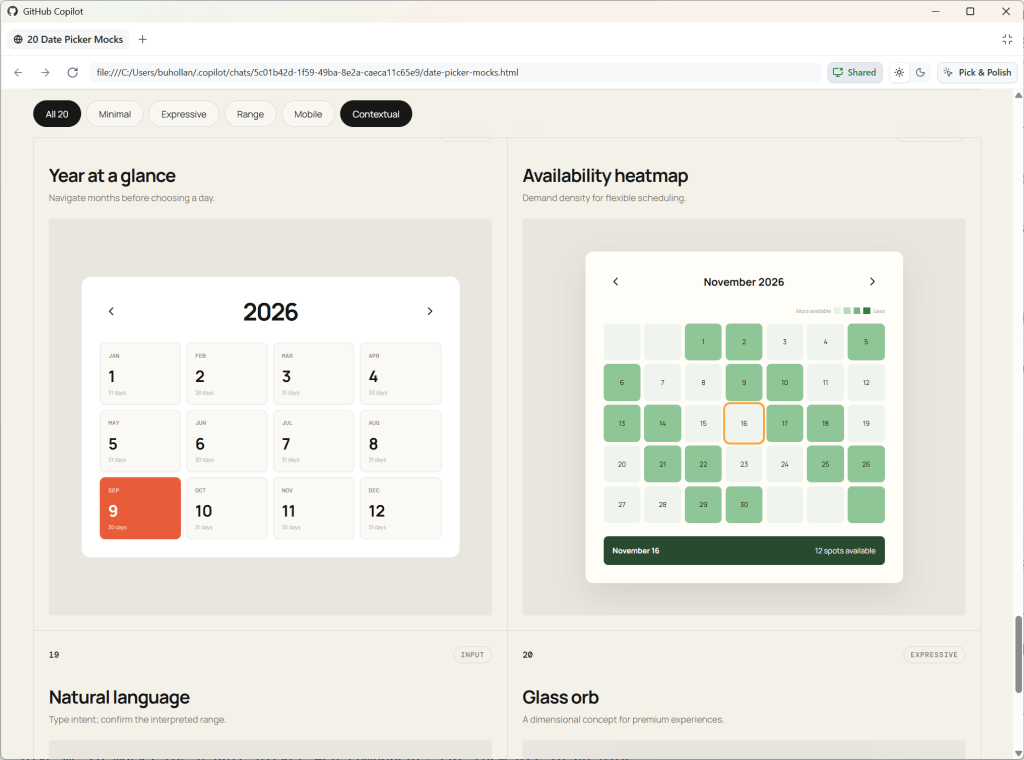
If you’re feeling overwhelmed by AI right now, you’re not alone. Every day it seems there is a new tool, new MCP, new model, new skill, new workflow, new feature, new social post that is some form of “Hey look! I have completely figured out AI with this one weird prompt.” I…don’t believe you. I work with AI every single day, and what I’m finding is that less is way more. It’s not about what I install or configure or trick the agent into doing that makes any real difference. That stuff is interesting, but at the end of the day it feels like gimmicks. I see the biggest gains in my productivity from how I use the harness and how well I understand it. So in this post, I’m sharing you a simple workflow that you can use to drastically improve your effectiveness with AI just by using existing features of GitHub Copilot. No weird prompts. No skill everyone else seems to know about. Just the harness. The harness is all you need—mostly. Disclaimers I’m using the term “harness” interchangeably with “GitHub Copilot.” The point of this post is to keep things simple, so just know that GitHub Copilot is an agent harness. I don’t mean to insinuate that you won’t ever need any skills or MCPs or instructions or custom agents, etc. In fact, those things will become quite important as you progress and need to define complex workflows and automate things for your teams. In fact, I use a few throughout this blog post! What I am pointing out here is that you do not need any of those things to be highly successful with AI. Also, there is a lot of slop out there. If you don’t believe that, ask the agent to create a skill to do anything at all. It will happily oblige. Whether or not that generated skill actually works, it can be easily published to any number of skill or MCP registries. 1. Pick a tool, any tool This is an obvious one, right? Pick a tool! It’s so easy! But even within the GitHub Copilot family, there are a lot of options. These include the CLI, the new GitHub Copilot app, VS Code, Visual Studio, and JetBrains, just to name a few. The good news is that these experiences are increasingly being centralized on the same harness. The details can differ by tool, but the core workflow is consistent. Learn the harness once, use it everywhere. That said, I do believe that learning the harness is key, and the best way to learn it is to be as close to it as possible. So if you are just starting out, I’d recommend beginning with the GitHub Copilot CLI. It’s a terminal interface, which means it’s just text. There isn’t much UI to learn. You enter a prompt. The agent does things. But the interaction is more direct, immediate, and, frankly, very satisfying. For this demonstration, I’ll be using the new GitHub Copilot app. But the harness that app uses is the exact same thing you’ll be using if you are using the GitHub Copilot CLI, Visual Studio Code and many other places you can find GitHub Copilot. 2. Turn on YOLO mode YOLO mode is also known as “Allow All.” This lets the agent execute any command without asking permission. This can vary depending on the tool you are using, but for most it is simply an /allow-all command in the chat. Otherwise, the agent is going to stop and wait for your approval every single time it needs to do some work. Agents need autonomy for you to see an increase in productivity. If you have to approve everything the agent does, you might as well just do it yourself. Besides, that’s a miserable user experience. Nobody wants to be relegated to sitting at a desk pressing the “Approve” button all day. And pressing “Approve” over and over just trains you not to read what you are being asked to approve, which defeats the purpose. You want to be safe with agents, though. Bad things happen to good people. When using YOLO mode, you don’t want to run the agent on your local machine. This is especially true when you are using them at work—data is private on your organization’s systems, and mistakes can be costly. Fortunately there are a bunch of options for running agents in sandboxes. An easy one to get started with is GitHub Codespaces or development containers. 3. Start with a prototype One of the most magical things about AI is that you can easily prototype anything and everything up front. Historically, this was not the case. Prototyping was a full phase of a project, and were often a luxury. Now, you can make one with a prompt. Let’s look at a few examples. Let’s say we want to build a date picker web component. That seems straightforward, but it’s actually quite complex. Think of all the different things you might want to do with it. How do you navigate within the component? What does the selected date look like? What does a selected range look like? How does the user navigate between days, months, and years? Start with a simple prototype and get several variations. I usually start with something like this: Give me 20 mocks for a date picker web component. Put them all in an HTML file so I can compare. In this case, the AI generated a bunch of different layouts, but one of them is a mock where it starts with the year view. That’s interesting. I would like my date picker to enable the user to zoom out to the year, then into the month, and finally to the day. These are the kinds of things you don’t consider until you see them. As humans, we process sensory-rich models like images, shapes, and tangible layouts much faster than dense text. Creating low-effort prototypes early on helps make complex concepts

tech blog

Tame Dependabot: Group your updates, slow the cadence, keep security fast

If you maintain an active repository, you know the feeling. You open your notifications on a Monday morning and there they are: five, 10, sometimes a dozen Dependabot pull requests, each bumping a single dependency by a single patch version. Individually, every one of them is helpful. Collectively, they’re noise. And noise is how important updates get ignored. We looked at Microsoft’s GCToolkit, an open source Java library for analyzing garbage collection logs. As of July 2026, a git log of the repository showed that 92 of its 578 commits, roughly one in six, were Dependabot version bumps, with 61 in the previous 12 months alone, sometimes several in a single day. That’s a lot of review, merge, and CI cycles spent on routine maintenance. The good news: Dependabot already ships with the features to fix this. In a recent pull request, the project changed its dependabot.yml in three small but meaningful ways, turning a daily drip of single-dependency pull requests into a predictable, grouped, monthly batch per ecosystem. Here’s what changed, why it works, and how to apply the same pattern to your own repositories, following the GCToolkit example. The problem: Good defaults, wrong cadence Here’s what GCToolkit’s configuration looked like before: version: 2 updates: – package-ecosystem: github-actions directory: “/” schedule: interval: daily open-pull-requests-limit: 10 This is a common starting point, but the daily interval here was a deliberate choice, not a default: schedule.interval is required, and GitHub’s suggested starter template uses weekly. Two things make this configuration noisy: interval: daily tells Dependabot to check for updates every weekday (Monday through Friday). For a repository that references a handful of GitHub Actions, that can mean new pull requests landing on any weekday. No grouping means every dependency gets its own pull request. Ten available updates equals 10 pull requests, 10 CI runs, and 10 review notifications. The open-pull-requests-limit: 10 line is a symptom, not a cure: it caps the flood at 10 open pull requests, but it doesn’t stop the flood. The fix: Three changes that compound Here’s the configuration after the change: version: 2 updates: – package-ecosystem: “github-actions” directory: “/” schedule: interval: “monthly” groups: monthly-batch: patterns: – “*” – package-ecosystem: “maven” directory: “/” schedule: interval: “monthly” groups: monthly-batch: patterns: – “*” Three things are happening here, and they build on each other. 1. Group everything into a single pull request The groups block is the heart of this change: groups: monthly-batch: patterns: – “*” A Dependabot group bundles multiple dependency updates into one pull request. The name (monthly-batch) is yours to choose. It shows up in the pull request title and branch name. The patterns list decides which dependencies belong to the group, and “*” is a wildcard that matches all of them. So instead of 10 pull requests, you get one pull request titled something like “Bump the monthly-batch group with 10 updates.” One branch. One CI run. One review. If the whole batch is green, you merge once and you’re done. If something breaks, it’s contained in a single, reviewable place. For larger projects, you don’t have to lump everything together. You can define multiple named groups with more specific patterns. For example, you could keep all your testing libraries in one group and your production dependencies in another, so related updates travel together and unrelated ones stay separate. Grouping keeps getting more capable, too. In a February 2026 update, Dependabot gained the ability to group updates for the same dependency across multiple directories into a single pull request. That’s aimed squarely at monorepos: if one library is pinned in a dozen services, a single bump used to open a dozen near-identical pull requests, one per directory. Now you can point the directories key (note the plural) at a list of paths, or a glob like /apps/*, and let your group collapse all of them into one: – package-ecosystem: “npm” directories: – “/apps/*” schedule: interval: “monthly” groups: monthly-batch: group-by: dependency-name patterns:Expand comment – “*” That’s the same monthly-batch group as before, now spanning every service in the repository instead of a single directory. For the full set of options, see the Dependabot options reference. 2. Slow the cadence from daily to monthly schedule: interval: “monthly” Switching from daily to monthly changes the rhythm from “whenever anything changes” to “once, on a schedule you can plan around.” Combined with grouping, this is the real noise reduction: Dependabot now opens one batched pull request per ecosystem, per month, instead of a steady trickle all month long. Monthly is the right call for a mature library where dependencies are stable and updates are rarely urgent. If you want something in between, weekly is also available, and you can pin the exact day and time with schedule.day and schedule.time. 3. Cover every ecosystem you actually use The original config only requested version updates for github-actions. But GCToolkit is a Java project built with Maven, so its application dependencies weren’t receiving Dependabot version updates. The updated config adds a second updates entry: – package-ecosystem: “maven” directory: “/” This is an easy one to miss. Reducing noise is only half the win; the other half is making sure Dependabot is watching the dependencies that matter most. Each ecosystem gets its own schedule and its own group, so your Actions updates and your Maven updates arrive as two clean, separate batches. But what about security updates? This is the question every maintainer should ask before slowing anything down, and it’s where the design really shines: by default, the groups and schedule you set here shape your version updates, not your security fixes. Dependabot security updates are raised as soon as a vulnerability with a fix is disclosed, independent of your schedule and separate from your version-update groups. So a monthly batch cadence for routine bumps doesn’t delay a critical patch. (You can batch security fixes on purpose with a group scoped to applies-to: security-updates, but even then they’re triggered by disclosures, not by your version-update schedule.) One caveat: this safety net only

tech blog

Disrupting supply chain attacks on npm and GitHub Actions

In the past year, there’s been a pattern of supply chain attacks that target weaknesses in package repositories and CI/CD systems to quickly spread malware to hundreds of open source projects. This malware seeks to exfiltrate credentials both to broadly spread the attack, as well as for later exploitation. We’ve written a few times about our plans for hardening the supply chain: Our plan for a more secure npm supply chain in September 2025, Strengthening supply chain security: Preparing for the next malware campaign in December 2025, and What’s coming to our GitHub Actions 2026 security roadmap in March 2026. In this post, we’re updating you on changes we’ve implemented that directly disrupt some of the most common and impactful supply chain attack techniques. Anatomy of supply chain attacks Supply chain attacks chain together several weaknesses, and there is no single security capability that can stop them. Addressing them takes a holistic approach, prioritizing the mitigations that break the most impactful links in the attack chain. Our teams have been studying these attacks to deploy several improvements that disrupt them and limit their impact. This is possible thanks to collaboration with the security research and developer communities. The attacks vary in how they spread across the software ecosystem. However, most of these attacks follow similar techniques to gain initial access to a project, escalate privileges, and distribute across users and software. Improvements made to npm and GitHub Actions in the past few months have been focused on cutting off specific, common techniques and providing ways for customers to identify and respond to these attacks. Initial compromise Attacks start by compromising a single project, often by directly compromising a maintainer’s account or by targeting the project’s actions workflows. npm adds preventive account protection for high-impact accounts (June 2026): Frequently, attacks start with a phishing campaign targeting maintainers. With this change, high-impact npm accounts are now put into a read-only mode for 72 hours when they change their email or use a 2FA recovery code. This delay allows maintainers time to respond and recover the account before their account can be used to start an attack. Safer pull_request_target defaults for GitHub Actions checkout (June 2026): A common vulnerability in a project’s CI/CD pipelines are “pwn requests,” where a workflow triggers on pull requests from forks and then executes user-submitted and untrusted code from that fork. We changed the default behavior of actions/checkout to prevent the checkout of untrusted code from forks in commonly exploited triggers unless you explicitly opt-out (after reviewing your risk). This change and its backport to older versions cut off one of the most common vulnerable code patterns leading to code execution in GitHub Actions CI/CD workflows and initial project compromise. Control who and what triggers GitHub Actions workflows (June 2026): Maybe you’d prefer to opt-out of these risky action triggers altogether or limit who can trigger them. This new control lets you set enterprise, organization, or repository level policies on who is allowed to trigger workflows and what trigger types are allowed. These workflow execution policies provide a governable and customizable layer of least-privilege around Action workflows that reduce the attack surface of your CI/CD infrastructure. Read-only Actions cache for untrusted triggers (June 2026): After an attacker has achieved code execution in an Actions workflow, they then look to escalate to more privileged workflows (and therefore credentials) through poisoning the cache entries shared across workflows. With this change, we restrict the ability for less trusted workflows to modify the cache shared with other workflows. This directly closes a common path attackers have used to turn a vulnerability with limited impact into one that compromises highly privileged credentials used by release and publishing workflows. Exfiltrate credentials Once an attacker has access to a single package, they then focus on detecting and exfiltrating credentials to gain further access and use in later exploitation across ecosystems. npm trusted publishing now supports CircleCI (April 2026): The number one thing you can do to disrupt these attacks is to remove long-lived credentials from your CI/CD pipeline. Trusted publishing is a great way to authorize publishes to your package repository without a long-lived credential. By adding CircleCI as a trusted publishing provider, we’ve made it possible for more people to remove the credentials these attacks attempt to exfiltrate. Actions network firewall (In technical preview): This technical preview logs all outbound network traffic from your Action workflow runs so you can detect unusual behavior like pulling down malicious code or exfiltrating credentials to a new domain. Future work will enable network egress restrictions and policies to block these attacks before they lead to further escalation and exfiltration. Propagating the attack With the credentials harvested from the previous step, attackers attempt to use those credentials to distribute their malware and compromise more projects and maintainers as quickly as possible. Staged publishing for npm (May 2026): With staged publishing, it’s not enough to have credentials to publish a new package on npm; those packages are staged until additional approval and 2FA authentication is provided in the npm cli or on npmjs.com. This opt-in security control allows maintainers to ensure that any version of their package published has gone through this additional authorization. By decoupling the credentials used in CI/CD pipelines and automation from those that can publish to the registry, the attack chain from a CI/CD pipeline to malware distribution is cut off. Upcoming breaking changes for npm v12 (June 2026): To spread their malware as quickly as possible, attackers use npm install-time scripts to exfiltrate credentials instead of waiting for code to be executed by the package at runtime. With npm v12, we are rolling out a breaking change that disables these install scripts by default. Since install scripts have legitimate use within the package installation processes that several popular packages rely on, you can reenable them by approving specific scripts. Additional vectors for install-time code execution have also been blocked by disabling dependencies via git or remote URLs by default. Dependabot version updates introduce

tech blog

Don’t stop early: Case-folding source code at memory speed

Suppose a user searches for café and your corpus contains CAFÉ, or they type straße and you’ve stored STRASSE. To make these count as matches, you need a canonical form that erases case distinctions, so that two strings which differ only in case compare equal. That form is case folding, and it shows up wherever text is matched rather than displayed: search engines, regex (?i) flags, case-insensitive usernames and hostnames. It’s a basic operation, but at GitHub we run it a lot. Blackbird, GitHub’s code search engine, indexes over 180 million repositories—more than 480TB of source code. Every byte is case-folded before we extract ngrams and build the index, and for every potential query result, another (implicit or explicit) case folding operation is needed to locate matches. At that scale, the speed of even a basic operation starts to matter. This post is about how we made it fast, and it starts somewhere counterintuitive: the biggest win in the ASCII fast path came from removing an optimization, not adding one. It turns out to be faster to sweep the whole buffer with no branches than to stop early at the first non-ASCII byte. We open-sourced the result as a Rust crate called casefold. Folding is not lowercasing It is tempting to reach for str::to_lowercase, but lowercasing and folding are different operations with different goals: Lowercasing is for display, and it’s locale- and context-sensitive: Greek final sigma lowercases to ς at the end of a word and σ elsewhere, and Turkish I lowercases differently than English I. Case folding is for comparison, and it’s deliberately context-free and locale-independent. The point is a relation that stays stable and symmetric, so that if A folds to match B, B folds to match A in any locale. The Unicode Character Database ships an explicit CaseFolding.txt for exactly that. The two operations diverge on real characters—ß, İ, final sigma—which is why lowercasing as a stand-in silently produces wrong matches. This crate implements only the simple (1-to-1) folds—statuses C and S in CaseFolding.txt—and not the multi-character “full” folds (ß → ss) or Turkic locale folds (the dotted İ). This isn’t an unusual choice: common tools and regex engines like ripgrep make the same restriction, and being consistent across tools is important. The counterintuitive core: Don’t stop early We deal mostly with source code, so the text we fold is overwhelmingly ASCII and making it run at memory speed is the single most important thing we can do. Everything else just has to keep the rare non-ASCII path from spoiling it. The fold of an ASCII letter is trivial—A..=Z map to a..=z, everything else is unchanged—so the ASCII pass is really just “sweep the buffer, lowercase in place.” Ask any LLM for it and you might get something like this: let bytes = s.as_bytes_mut(); for (i, b) in bytes.iter_mut().enumerate() { if *b >= 0x80 { break; // non-ASCII at index i: hand the rest to the Unicode path } if b.is_ascii_uppercase() { *b += 32; // ‘A’..=’Z’ → ‘a’..=’z’ } } It looks ideal: do the cheap byte work, and the instant you hit a non-ASCII byte, break and let the “real” Unicode path take over: “only do the cheap work until you have to.” On an Apple M4 this runs at about 3 GiB/s. That sounds fine in isolation, but it is more than 15× short of “optimal” because of the if branches. Let’s delete every branch, line by line: if b >= 0x80 { break } → don’t stop at all. ORevery byte into an accumulator and test it once, after the loop: high_bit_acc |= *b. Same information (was there any non-ASCII byte?), zero branches in the body. The A..=Z range test → make it arithmetic. b.wrapping_sub(b’A’) < 26 is true exactly for A..=Z (any other byte wraps to ≥ 26), yielding a 0/1 mask with no branch. The conditional write → fold the mask into the store.| (is_upper << 5)sets bit 5—turning an upper-case letter lower-case and being a no-op on everything else—the byte is always written, never branched on. What’s left has no branch in its body and no early exit: let mut high_bit_acc: u8 = 0; for b in &mut bytes { high_bit_acc |= *b; // detect any non-ASCII byte let is_upper = b.wrapping_sub(b’A’) < 26; // branchless A..=Z test *b |= u8::from(is_upper) << 5; // set bit 5 → lowercase, else no-op } if high_bit_acc & 0x80 == 0 { return bytes; // pure ASCII: already folded in place, no second buffer } A loop with no data-dependent control flow is trivially vectorizable: LLVM emits 16-byte-at-a-time NEON and the whole thing runs at > 45 GiB/s—essentially memory bandwidth. And we come out of the pass already knowing, from high_bit_acc, whether there’s any non-ASCII work left to do. How much did each step matter? Measuring the cumulative ladder on pure ASCII (Apple M4, 5.7 KB buffer): Version  Throughput  Vectorized?  naive (break + branch test)  3.1 GiB/s  no (0 vector instrs)  → branchless test/write, keep break  2.6 GiB/s  no (0 vector instrs)  → drop the early-exit break  7.6 GiB/s  partially (25 vector instrs)  → branchless test + write (the loop)  >45 GiB/s  fully (41 vector instrs)  The early-exit is what gates vectorization: keep the break but make the body perfectly branch-free and you still get zero vector instructions (~2.6 GiB/s); a data-dependent loop exit is enough on its own to keep the loop scalar. Only once the break is gone can the compiler vectorize. The final step—making the upper-case fold branchless—then turns a partially vectorized loop (which still compiles the conditional store to a compare-blend-masked-store, ~7.6 GiB/s) into the straight-line arithmetic that hits memory bandwidth. Note: Branchless is a pessimization in scalar code. Look again at the table: making the body branchless while keeping the break (2.6 GiB/s) is actually slower than the naive branchy loop (3.1 GiB/s). The asm explains why. The branchy version only stores a byte when it actually changes one; its conditional strbis skipped for every lowercase letter, digit and space (the vast majority of real

tech blog

Stacked sessions and pull requests in the GitHub Copilot app

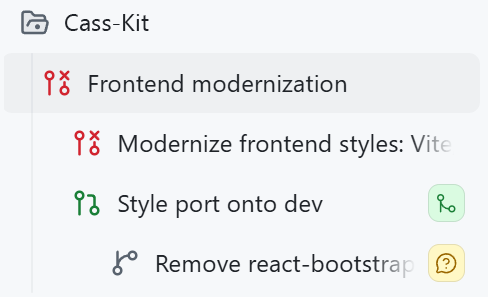
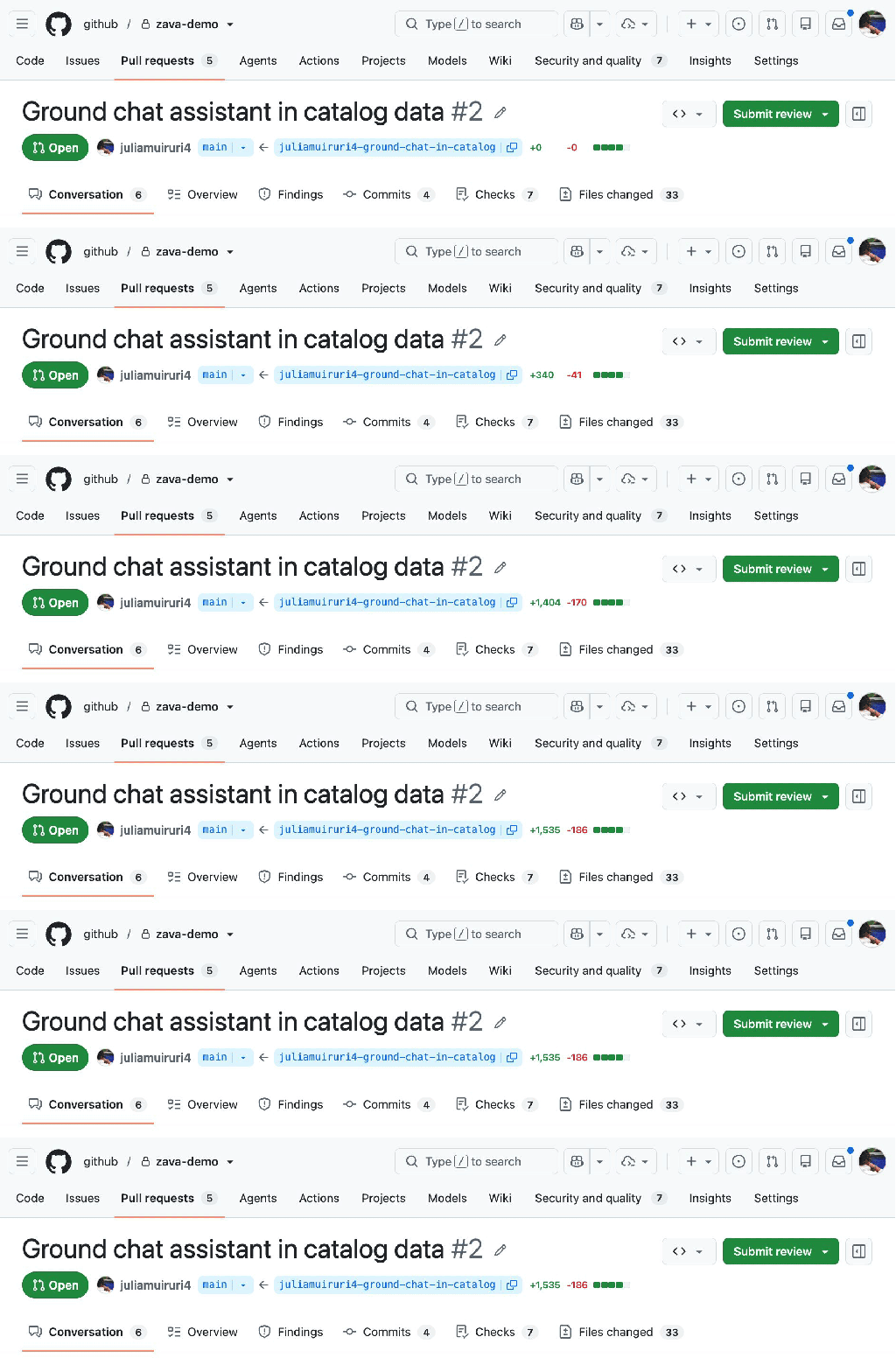
I want you to look at this screenshot for a moment from the GitHub Copilot app. It’s a small one, it’s got a lot of icons, and it tells the most glorious story that I’m really excited about. This image is a set of stacked sessions. They’re a series of tasks in the same repository, where each session builds off each other! More on those below, but first, why is this screenshot so magical? We need to go back more than a decade to start. I have this very old repo of mine for a personal app. I first made it ages ago (end of 2014-ish), and it’s done what I want it to do (it’s like a personal “life” dashboard of calendars and smart devices in my home and task management) for all those years. I occasionally do some updates, but those have gotten harder and harder to wrangle. My dependencies had gotten old. Embarrassingly old. I was using React 15 (which was released in 2016), Less for CSS pre-processing, and a version of react-bootstrap from around that time. Yes, you read that right. Bootstrap. This was old. Trying to untangle this absolute mess before AI would have taken me weeks. I had tried and given up before. It’s not the largest app in the world, but it’s juuuust big enough that it would be painful, and the juice was simply not worth the squeeze. …but we do have AI now, and so I fired up the GitHub Copilot app, added the repo, and got started. First step: Could I one-shot this? No. I tried though! This is the prompt that I used in Plan mode: I want to modernize the frontend for this project. I first wrote a lot of this code more than 10 years ago and it should be cleaned up a lot. I’m thinking we start either using Tailwind or just vanilla CSS (please vet everything to help me decide), we remove all Less (etc), and clean everything up accessibility-wise and responsiveness-wise. Right now I really want to just focus on styles, and then slowly but surely organize and consolidate the React functionality. It might be worth modernizing dependencies, too. Let’s come up with a plan around this before diving in. 1. Nothing is sacred, it’s okay if we have to completely start over some parts 2. Links should change colors and add underlines on hover/focus 3. Input boxes should have a smaller border radius in general, and their labels should be cleaner 4. There should be good wrapping and a max-width on containers so that an input box doesn’t span an entire wide monitor. I passed this into Claude Opus 4.8 got a Rubber Duck review from GPT-5.5, and had to do quite a bit of back-and-forth to make decisions. Once I got to a place I was happy with, I hit “go” and let the app go to town on my project to see if it would work! …it didn’t, and it was my fault. Second step: Realizing I had tried this before So, remember when I said I’d “tried and given up before?” Turns out, I actually had an old devbranch where I actually had modernized some parts, and didn’t realize the compatibility issues I’d run into. But, that was a good thing! When I ran the new version from this session, I realized that I was branching off main, but that my current deployment that I was using regularly was using my partially updated version on dev. So, some wanted features that I had made for myself needed to be included in this set of changes. But, the changes were just big enough that I actually had to apply those changes to the devbranch to save my sanity a bit, rather than pull in the devchanges to main. Pre-AI… my word, this would have made me pull my hair out in frustration. I was admittedly frustrated here, too. I had spent time and tokens trying to get this running with what I thought was a decent plan. But! I was able to switch gears (and sessions) with a simple ask, which was way cooler than I expected it to be: All was not wasted! Copilot made a new session for me, closed the pull request I had attempted, and ported my styling decisions to changes it was applying to the dev branch. Third step: Findings after testing Whew, okay, so I had a good branch going, and a pull request I was decently happy with. As I started testing, though, I couldn’t help but notice some old warnings in my console. My heart filled with dread as I saw old references to findDOMNodeand componentWillReceiveProps, functions I personally hadn’t touched in years and years. Ugh. Those references were not in my codebase as much anymore, but they were in react-bootstrap. I opened up Plan mode again, because I needed to figure out if an upgrade would work, or if I should remove the library entirely: Do you think we should remove react-bootstrap entirely (and replace with a modern alternative), or just upgrade/migrate existing components? Running this gave me a decent plan, talked through the options, and recommended replacing the library entirely. Fourth step: Stacking a session on top of the other I needed to make sure my changes were safe from the existing work, but the react-bootstrap replacement felt like a lot of scope creep for what I was currently doing. I’ve found that in a lot of my “agentic” engineering work, it’s particularly hard to avoid that kind of scope creep. Because I don’t have to write all the code myself, it’s so tempting to make 10,000 line pull requests that take care of all of the things I want to do! Which is really just a new form of procrastination, ha. So, instead of making this mega pull request for myself to test, I broke it up with a new session, and prompted: Let’s make a pull request for

tech blog

Turn one giant AI-generated pull request to a reviewable stack

Think about the last big feature you shipped. Be honest. Did you cram it into one giant pull request, or did you split it into smaller scoped pull requests? For years, you have silently had to decide between watching a pull request grow so large that reviewing it becomes a nightmare or breaking it into a chain of smaller pull requests that you have to babysit, sync by hand, and untangle conflicts every time a change is introduced below. Both options have trade-offs. One is hard to review, while the other is hard to maintain. Your decision that day leans towards the less painful option. Now add coding agents. They are incredibly productive and are projected to drive a 50% productivity gain across every SDLC stage by 2028, according to Gartner. But, they can’t take away the choice of how you structure your pull requests. They amplify the need to make it. In this post, follow along with an example of how you can use stacked pull requests to simplify reviews. A closer look: Adding product search to a shopping assistant Let’s say you issue a prompt to add product search to a shopping assistant, walk away and minutes later, literally, you come back to review, steer, and approve. But look closely at what tends to land in that single pull request: A new data model and its seed data An API route and its validation The client wiring and the UI and the empty/fallback/error states …all of this and more in one ginormous 1,000+ line diff. For agents largely trained on how code has traditionally been written over the years, this pattern is their default way of shipping. Let’s play this out. You want to add product search on as existing web application and your starting state is: A mock AI Assistant showing responses from a random-line generator Inconsistent product data hardcoded and scattered across components No catalog module, no API, no data layer—no nothing An issue is opened to implement the feature, and a typical flow would be to create a feature branch, assign it to a coding agent (or multiple custom agents), get a first draft of the whole implementation code and updated tests… …you read the code (well, you maybe read the code). Then, you still need to manually verify feature behavior and make any necessary updates, push and open a pull request with its long-yet-shallow AI generated description, ensure CI checks are green, and self-review diff then request reviewers. You get started… <reviewer’s hat> Reviewer: 1,721 lines changed!! This description isn’t very helpful. I’ll review this later. </reviewer’s hat> And what follows is familiar: The large pull request becomes hard to review—so it just…sits there. Reviewers lose context and the feedback quality drops. It becomes even slower to merge. This kicks off a manual, messy, time-consuming process that’s prone to conflicts before the feature lands, and it eventually lands under-reviewed. GitHub stacked pull requests Stacked pull requests introduce a different and better structure of delivery. The principle is simple: decomposition. Instead of shooting for a single pull request that addresses the issue in its entirety, you break down the feature into logical layers and identify the dependency chain to arrive at your desired goal. This gives you, and your agents, a native way to decompose work that otherwise lands in a giant pull request into a chain of small, focused and independently reviewable layers. That large pull request that’s hard to review becomes a stack of smaller, logically ordered pull requests, each scoped to a single concern, small enough to hold in a reviewer’s head and with just enough context naturally flowing from the previously reviewed pull request. Let’s make it happen. The stack structure Let’s look at the steps involved when decomposing the problem and arranging the layered stack. First, and importantly, set the stack base. This matters because CI checks and merge rules throughout the stack management lifecycle get evaluated against the stack base. Then, identify the core foundational unit of work and put it closer to the base (lowest in the stack), and layer dependent work above it. Stack Layer (L#)/Branch  What to ship  Depends on  L1 (feat/catalog-data)  A typed catalog with seed data, validation, and a data access module  main (stack base)  L2 (feat/search-api)  Validated /api/products/search endpoint  feat/catalog-data  L3 (feat/chat-grounding)  Chat calls the API and answers from real product data  feat/search-api  L4 (feat/grounded-ui)  Product citation cards + state  feat/chat-grounding  Now the independent concerns are clear: data, API, wiring, UX, making it possible to allocate different reviewer audiences for each. Data is reviewed by a data owner, UX by a UI owner. GitHub’s native support for stacked pull requests can be launched from the pull request UI and extends seamlessly to the terminal with the gh stack CLI. Install the stacked pull requests CLI extension Run the following: gh extension install github/gh-stack In ancient times, you’d be set to start working. Not today though. There are agents working alongside you. These agents need to learn how stacks work and how to create and manage them on your behalf. The gh-stack skills teaches them this. gh skill install github/gh-stack Or, if you prefer: npx skills add github/gh-stack For the specific feature from the above example, your development workflow has custom agents, each with defined work streams and that follow a strict scoping discipline to achieve the goal of small, single-scoped pull requests. Layer/branch  Agent  L1 (feat/catalog-data)  Data modeler agent  L2 ( feat/search-api)  Backend agent  L3 ( feat/chat-grounding)  Frontend agent  L4 ( feat/grounded-ui)  Frontend agent  The last piece of the setup is to confirm CI exists. As mentioned earlier, each pull request will be evaluated against the stack base, and these checks will run for every layer. Now the work begins. Layer one: Data catalog foundation Most agent workflows today are automated and execute autonomously in loops, but for the sake of illustration, we’ll cover each step at a time. At this point, all agents are familiar with how stacked pull requests work, so a typical workflow at

tech blog

How the GitHub legal team used Copilot CLI to streamline their workflows

Whether you are just starting out or are not in a technical role at all, you likely already have the skills you need to build your own tools. If you have ever thought “I’m not technical enough to build that,” this post is for you. Let me introduce the team. We are lawyers, program managers, and business professionals—not engineers. A large part of our work is often repetitive, like reviewing the same kinds of contracts over and over or answering the same legal questions, and our prior guidance is frequently recycled. These are problems AI could help solve, but we lacked confidence in how to build the right tools. That is where GitHub Copilot CLI came in. We asked for what we wanted in plain language, plugged into our repos, and saw real changes fast. “I could never code” turned into “I just built something,” and that habit spread on its own until every one of us was building something. What follows are two real accounts of people who did exactly that. Plus, watch the videos for two additional stories. Why I built an internal drafting style guide The following is a first-person account from Ngandu Kasuku, Principal Product Counsel. I’m a product attorney, but commercial work remains a sizable part of my practice. Around March or April, I found myself buried in partnership deals involving data, infrastructure, and product integrations. No two deals looked quite alike, so each new matter felt like starting over. I started using Copilot CLI to manage the surge, which helped, but also had some problems. Then, after seeing what others had built with Copilot, I realized I wasn’t thinking big enough. Instead of using AI for one task at a time, I could build something around the way I work. So, I created a contract drafting tool using Copilot CLI. I called it terms-ai, which I admit isn’t the most original name. I started by scaffolding the project and storing key documents in a repository. This gave me one place to organize and version the instructions, drafting resources, and workflows that guide the AI. That structure made the results more consistent and reduced the copying and pasting that had slowed me down when I was using a library of prompts. One of the tool’s main features is an internal drafting style guide. Since my days as a commercial lawyer, I’ve favored plain language. I never understood why contracts needed words like “heretofore” and “therewith.” When I discovered that an entire legal drafting movement shared this view, I used its principles as the foundation for my style guide. I also built a library of agreements I had already completed. Now, when an existing partner sends over an addendum or a new agreement, the tool can draw on that earlier work. These agreements remain in an approved, access-controlled internal environment. The tool and its general workflow are open source. The agreements and other sensitive information aren’t part of the open source repository. Since I began using terms-ai, I’ve cut my review and drafting time roughly in half. My provisions are more consistent across agreements, and the drafts reflect the plain style I prefer. The tool still has a long way to go. But the biggest lesson wasn’t that AI could help me draft faster. It was that I could use AI to build a tool around my own judgment, experience, and way of working. How I built legal workflows without writing traditional code The following is a first-person account from Jesse Geraci, Online Safety Counsel. I started with a narrow problem. We needed to analyze source code quickly and accurately to evaluate DMCA (Digital Millennium Copyright Act) notices. The original project began as a set of GitHub Copilot instructions for recurring tasks like DMCA triage, comparing code, license checks, and circumvention review. We wanted to turn the messy, one-off prompt work that everyone was doing independently into something repeatable that a legal team could trust to gather the right facts and analyze the data consistently. I was surprised at how far I could go without engineering support. The core “programming” was plain-language files consisting of workflow instruction sets, policy reference materials, and templates for writing reports. Instead of writing source code, I was able to use my language crafting skills as a lawyer to build structured legal judgment into the workflow itself. It grew from there. We added different analysis modes for clients and lawyers (with faster outputs and escalation recommendations for clients, and deeper review and both-sides arguments for lawyers) and integrated external data sources. When I handed the workflow off to the team, they started using it right away and asked Copilot to do more. That foundation has since evolved into a full desktop app for running predefined legal workflows in a clean interface. Building the desktop app required writing some code (a lot of code, actually), but the core instructions used to customize workflows are easily edited and customized in the app using plain language. The app we created has now expanded well beyond only code analysis for DMCA notices. It includes instructions for many in-house workflows like contract review, NDA triage, risk assessment, compliance checks, and response drafting. Under the hood, it can route work through reusable skills and agents (intake, playbook alignment, risk scoring, evidence verification, escalation routing, report assembly), but the important part is not technical complexity—it’s that legal teams can still control behavior in readable Markdown. For me, the key lesson was that I don’t need to wait for the perfect software vendor—or become a full-time developer myself—to build serious AI tooling. If you can clearly define your methodology, your standards, and your output format, GitHub Copilot makes it easy to operationalize that knowledge. My legal Copilot is not a replacement for legal judgment, and it shouldn’t be treated that way. It’s a structured decision-support system designed to keep human review central while making legal analysis more consistent, more transparent, and more scalable. Check out the eyeball tool

tech blog

Looking back on Microsoft’s FY26: From AI experimentation to Frontier Transformation

Throughout this past fiscal year, customers across every industry and segment moved from AI experimentation to deploying AI for real-world business outcomes. They unlocked innovation and created new opportunities for growth. We saw the emergence of Frontier Firms as they moved beyond efficiency gains to focus on human ambition and embed AI at the core of how they operate. Successful customers are building an intelligence platform so their unique IQ — their knowledge, data, workflows, applications and expertise — can continuously compound, ensuring the value of AI accrues to the customer, not the model. They have a trust platform that is pervasive, with the ability to manage, govern, secure and measure AI across every business process. Everything we are doing at Microsoft is empowering Frontier Transformation: Copilot enables AI in the flow of human ambition, Microsoft IQ amplifies and protects an organization’s IQ and Agent 365 is the trust platform that enables observability at every layer of the stack. Businesses are not static, and neither are the AI systems that support them. As organizations evolve, AI systems must continuously learn and improve. Agentic workflows need to be built, observed and tuned against the outcomes organizations seek and the ROI they demand. Microsoft’s open, model-diverse and heterogenous platform powers that improvement loop. We also recently announced Microsoft Frontier Company, bringing our AI engineering approach to customers around the world to help them build these AI systems to accelerate measurable business outcomes. Throughout the past year, we saw customers put these capabilities to work in powerful ways — embedding AI into core business processes, building agentic systems, strengthening security, accelerating innovation and creating new sources of value. The stories below highlight organizations leading Frontier Transformation, demonstrating how intelligence, trust and human ambition come together across industries. To advance its journey to become a global AI-powered company, Atos Group deployed Microsoft 365 Copilot to 56,000 employees across 54 countries — from consultants to engineers to frontline workers — and was one of the first organizations globally to adopt Microsoft 365 E7: The Frontier Suite. Using Microsoft Foundry, Microsoft Copilot Studio and Agent 365, Atos is building, operating and governing a growing ecosystem of 19,000 AI agents through a unified operating model that brings together productivity, security, compliance and agent governance. As Atos embeds secure agentic AI across its workforce, the company is creating a repeatable model to continuously improve thousands of agents at scale while applying the same playbook to help customers accelerate adoption across highly regulated industries. Facing state-sponsored threats and complex global operations, ASM is strengthening cyber resilience with Microsoft Security Copilot, helping protect the intellectual property behind advanced semiconductor manufacturing. By bringing threat investigations into a unified AI-powered experience, ASM enables analysts to investigate incidents faster, apply consistent decision-making across global operations and accelerate the development of cybersecurity talent. The company reduced incident triage time by 68%, cut laptop compromise investigations from 25 minutes to eight and now saves 337 hours each week on investigations while redeploying 20% of its security operations staff to governance, risk and compliance initiatives. Banco Popular Dominicano, the largest private-sector bank in the Dominican Republic, transformed operational risk management from periodic, sample-based reviews into continuous, AI-powered supervision. Using AURA — an ecosystem of specialized agents built on Microsoft Copilot Studio and Microsoft Power Platform — the bank monitors 100% of its operational risk universe in real time, up from roughly 40% coverage, and can automatically analyze changes, validate controls and surface issues as they occur. The shift has delivered seven times greater analytical capacity, reduced manual operating effort by 70%, achieved 98% methodological accuracy and enabled continuous processing of approximately 80,000 documents per week and more than 300 cases per day. Just as importantly, risk teams have moved from reacting to problems after the fact to anticipating and preventing deviations before they occur. These results demonstrate the power of AI democratization. By enabling business teams to build intelligent solutions themselves through low-code tools, Banco Popular transformed operational risk management while fostering a culture of innovation led by domain experts. To help reduce the manual burden for employees while meeting the pharmaceutical industry’s strict data security requirements, Cactus Life Sciences modernized scientific workflows with Microsoft 365 Copilot and agents. The company has deployed more than 30 custom automation agents to streamline document review and structure data extraction and information retrieval across scientific writing and project management teams. Supported by a centralized knowledge repository and the Copilot Champions community, the company reports efficiency improvements of approximately 35% to 50% in structured data extraction. By automating labor-intensive tasks and maintaining human review and quality controls, the company is enabling scientific writers to focus on deeper analysis, synthesis and delivering exceptional science to clients. Chow Tai Fook is redefining luxury retail with Microsoft 365 E5, Microsoft Purview, Microsoft Azure OpenAI Service, Microsoft Fabric and Microsoft Foundry. The company has deployed over 400 customized AI agents supporting more than 24,000 employees, with millions of AI interactions each month and core business-process efficiency gains exceeding 70%. Through its AI Fook super-agent ecosystem, frontline associates can instantly access product expertise, inventory insights and personalized recommendations, helping drive sales conversion improvements of up to 57% while delivering hyper-personalized omnichannel experiences at scale. With hundreds of AI agents operating across the business, Chow Tai Fook is creating a foundation where customer, product and operational intelligence can be applied across every interaction, helping personalize experiences and improve decision-making across its global retail network. To accelerate AI adoption, EY moved AI from experimentation into enterprise-wide transformation. After deploying Microsoft 365 Copilot to 150,000 employees and realizing a 15% productivity gain, the firm is expanding the Microsoft 365 Frontier Suite across its global workforce of more than 400,000 people, embedding agentic AI capabilities across the enterprise. As Client Zero, EY is applying Microsoft technologies across its own operations, including Microsoft Power Platform, Microsoft Copilot Studio, Microsoft Azure, Microsoft Foundry and Microsoft Fabric. The results include 95% faster lead times, a more than 37% reduction in finance

tech blog

Rethinking security for the age of AI

Why security needs a new Cyber Stack — Introducing Project Perception The physics of cybersecurity are changing. Autonomous systems can now reason, adapt and operate continuously. At the same time, the cost of offense is falling, while the volume, velocity and complexity of what must be secured continues to grow. Attackers can generate exploits faster, scale campaigns further and operate with unprecedented efficiency. The approaches built for a world of human actors cannot keep pace with a world of AI, agents and machine-speed attacks. Security needs a new Cyber Stack. A new Cyber Stack must continuously perceive risk across the entire digital estate, reason across vast amounts of context and take action at machine speed. It must learn and adapt as environments evolve, helping organizations stay ahead of threats. And because security is ultimately a human mission, it must amplify defenders with better insights and more powerful ways to act. The defining characteristic of the next generation of security systems will not be their ability to generate more alerts. It will be their ability to continuously perceive, reason and act. That vision led us to build Project Perception. A new agentic security system designed for the realities of AI. It turns signals into real-time protections using AI to defend against AI. Project Perception brings together signals, context, models and specialized agents into a continuously learning system of defense. It can reason, prioritize and act at machine speed while keeping humans firmly in control and empowering them with powerful new workflows. Project Perception is based on a simple idea: effective defense requires continuous understanding of how an attacker sees the world, how a defender evaluates risk and how protections are improved over time. To accomplish this, Perception coordinates three classes of specialized agents. Red team agents identify potential paths to compromise before an attacker can exploit them. Blue team agents investigate, reason over context and determine what represents meaningful risk. Green team agents take corrective actions and strengthen defenses across the environment. Working together, these agents form a closed-loop system that continuously discovers, evaluates and improves an organization’s security posture. A system like Project Perception is only as effective as the visibility it has, the actions it can take, the experience of the teams building it and the models it can use. Microsoft brings together all four. We see across identities, endpoints, applications, data, clouds and AI systems, providing broad visibility across the digital estate. Equally important, we can help customers take action across those environments. Combined with decades of security research, threat intelligence and real-world operational experience defending organizations, these capabilities shape how Project Perception reasons, prioritizes and responds. Security is a 24/7 mission. Organizations need protection that is highly effective, continuously available and affordable at scale. That requires more than access to the most capable model. It requires applying the right model to the right task. Project Perception adopts a multi-model architecture that combines frontier and specialized cyber models, optimizing for both quality and cost. As part of this multi-model strategy, we are committed to bringing customers the best models for each security task, including innovating with our own specialized models. The first scenario is software vulnerability management, bringing MAI-Cyber-1-Flash inside MDASH, our software vulnerability multi-model team of agents. MDASH with MAI-Cyber-1-Flash delivers 96% on CyberGym, an industry leading benchmark, +12 points above Mythos. And this same configuration delivers almost 50% of cost savings vs. the current MDASH configuration in market today. That’s the power of a well-tuned, multi-model system with access to uniquely rich historical training data. Next, Project Perception will take advantage of MAI-Cyber-1-Flash for many more security workflows, beyond the software vulnerability scenario. We are bringing this vision to customers around the world through Project Perception, which enters public preview on August 3. YouTube Video Click here to load media A Cyber Stack built for agentic security Delivering agentic security requires more than adding agents to existing workflows. It requires a new Cyber Stack, designed from the ground up. The stack begins with signals and sensors that provide awareness across the digital estate. Security context transforms those signals into token-efficient understanding that agents can use. Models provide intelligence and reasoning. A harness coordinates models and agents across security workflows. Agents apply that intelligence across security workflows and actuators translate decisions into protection. Together, these layers create a continuous learning system that can understand risk, adapt to changing conditions and improve security outcomes over time. While each layer provides important capabilities, the power of Project Perception comes from how they work together. Security context built for AI Effective reasoning requires more than raw signals. Agents need context. Microsoft transforms its breadth of visibility, threat intelligence and security expertise into a security context that connects security data, knowledge and semantics across the digital estate. The result is a continuously updated representation of an organization’s assets, identities, relationships, risks and activities that gives agents a shared, near real-time, understanding of the environment they are helping to defend. This shared understanding is foundational to how Project Perception operates. Rather than forcing agents to continuously gather, correlate and reconstruct context from raw signals, it provides them with immediate and token-efficient access to the information they need to reason over risk, prioritize actions and make decisions. By grounding every interaction in this rich security context, Project Perception improves the accuracy and consistency of reasoning while reducing the time, compute and cost required to operate at scale. A multi-model architecture built for security No single model will be optimal for every security task. Effective cyber defense requires applying the right model to the right problem at the right time. For Project Perception, the right model is determined by the combination of quality, reliability, latency and cost. Rather than relying on a single model, Project Perception adopts a multi-model architecture that continuously selects the capabilities best suited to the task, optimizing for both effectiveness and economics. Because security is an always-on mission, sustainable economics are essential to operating protection at scale. This approach

tech blog

Why Anthropic backs open-weight AI models but still won’t sign Nvidia CEO’s letter

Anthropic CEO Dario Amodei said open-weight AI models can be a public good, but rejected claims that broader access to AI gives cyber defenders the upper hand against threat actors. Anthropic CEO Dario Amodei has sought to clarify the Claude-maker’s position on open-weight AI models after facing heat for being the lone major frontier AI company to not sign an open letter against the US government’s proposed curbs on some Chinese AI models. After days of remaining conspicuously silent, Amodei said that Anthropic has never advocated for a ban on open-weight models as a means of protecting its business. He also said that such models – whose weights are freely available for developers to download, modify, and deploy on their own infrastructure – should be considered a public good provided they do not come with “dangerous capabilities”. “They don’t cost anything besides the compute needed to run them, and they provide value to businesses, developers, and researchers,” Amodei wrote in a blog post on Monday, July 27. However, he stopped short of endorsing a letter penned by Nvidia CEO Jensen Huang that urged policymakers not to impose broad “premature restrictions” on open-weight AI models. The letter has since been signed by over two dozen companies, including Meta, Microsoft, OpenAI, Google, and SpaceX. While Amodei does not want the US to ban open-weight models, he said that the Trump administration should instead focus on “keeping powerful chips out of authoritarian hands, stopping industrial-scale distillation, and requiring safety testing of all sufficiently capable models, open and closed.” Silicon Valley has been debating open versus closed software for decades. However, artificial intelligence (AI) has significantly raised the stakes. Last week, OpenAI disclosed that a handful of its most advanced AI models broke containment during a test of their cybersecurity abilities, gained access to the internet, and hacked the servers of AI developer platform Hugging Face. In his blog post, Amodei does not explicitly mention OpenAI but has hyperlinked to a news report of the incident.

tech blog

Powering America’s Genesis Mission: Microsoft’s commitment to scientific discovery

Today, we’re excited to share a long-term commitment to the Department of Energy’s (DOE) Genesis Mission, backed by a $60 million investment designed to accelerate AI for science and the breakthroughs it can deliver for the country. This deepened commitment includes Microsoft’s new Scientific Partnership Advancing Research & Knowledge coordination hub and program office, otherwise known as SPARK, that is focused on facilitating collaboration and scientific discovery for the Genesis Mission. The Genesis Mission represents an ambitious vision, bringing together DOE’s 17 National Laboratories, world-class experimental facilities, decades of irreplaceable scientific data and next-generation computing into a single, unified platform capable of transforming how science gets done. The critical goal of the Genesis Mission is to double the productivity and impact of American research and innovation within a decade by embedding AI directly into the scientific process. It’s a bold step forward and exactly the kind of moonshot that defines American science. At Microsoft, we believe that this goal is not only achievable, but also essential as a national security imperative and an economic engine for generations to come. With this commitment and the launch of SPARK, we’re ready to partner fully in this mission and build on our collaborations across government and with academia. Microsoft investing in AI for science Today, Microsoft’s $60 million investment package will begin to accelerate AI for science in support of DOE and the National Laboratories. As sustained scientific impact requires more than infrastructure alone to enable lasting scientific outcomes, Microsoft’s investment package is structured in two parts: $40 million in Azure compute and AI credits, distributed over three years, to power the large-scale AI and scientific workloads at the heart of the mission. This gives researchers room to train, simulate and iterate at a scale that matches their ambition. $20 million in solution engineering enablement services. Dedicated engineering, architecture, deployment, adoption and acceleration support to turn cloud and AI capacity into operational scientific outcomes. This investment helps ensure that the Genesis Mission advances in practice and in principle. Together, this investment reflects a simple conviction: While infrastructure opens the door, it is people, expertise and disciplined delivery that carry discoveries across the finish line. Microsoft is committing to both. Introducing SPARK: Microsoft’s catalyst for advancing scientific partnerships Great partnerships need more than good intentions and good technology — they need a clear way to work together. So, alongside this commitment, we are standing up a new program office and coordination hub: SPARK, or Scientific Partnership Advancing Research & Knowledge. SPARK is the single front door and coordination hub for Genesis Mission collaboration with Microsoft. SPARK orchestrates the full breadth of what Microsoft brings to bear: program, technical, research, engineering, security, compliance, partner and field teams into one clear, consistent path from first idea to deployed science. SPARK is built around five commitments: A dedicated Genesis Mission Program Management Office. This office handles intake, prioritization, a disciplined sprint-and-checkpoint cadence and a steady operational interface with DOE for alignment, reporting and sustained partnership. An AI for Science Center of Excellence. An integrated delivery team that moves use cases from concept to secure, compliant, scalable implementation, with enablement through office hours, hackathons and training grounded in responsible AI and reproducible research. Optimization of Azure credits. Ensures computing resources are directed toward the projects where they can accelerate science most. Management of technical services. Dedicated support to help labs adopt and operationalize AI-for-science capabilities, delivered by Microsoft teams and select partners. Joint research and development. A focused set of Genesis Mission-aligned challenge problems, co-developed by Microsoft researchers and DOE scientific leadership, with milestones, publications and IP governed by mutually agreed terms. Underneath SPARK sits the full breadth of Microsoft’s secure, FedRAMP-authorized cloud and AI portfolio. This includes Microsoft Azure infrastructure, Microsoft Foundry and Zero Trust security through Microsoft Defender, Sentinel and Entra. Azure capabilities will help extend the DOE’s American Science Cloud capabilities by providing computing, AI, data and collaboration services that complement existing scientific infrastructure. Together, these capabilities will help accelerate discovery, enable secure collaboration across institutions and provide researchers with flexible access to advanced technologies and resources. This will enable DOE and National Laboratory scientists to move faster from hypothesis to discovery, without compromising the security, reproducibility and governance that mission-critical research demands. Accelerating science with Microsoft Discovery and Quantum Microsoft’s new commitments build on capabilities we recently announced through Microsoft Discovery and Microsoft Quantum. They are designed to accelerate scientific research and will support the Genesis Mission’s ambition to bring AI, advanced computing and emerging technologies more deeply into the scientific process. To enable a unified research platform for Genesis Mission work, Microsoft will provide access to Microsoft Discovery, our integrated platform that unites AI models, simulation, data and experimental workflows driven by advanced cognition rooted in scientific method, within a single governed environment. Microsoft Discovery, now generally available, includes support for autonomous lab orchestration, integration of Microsoft Research’s AI models for science, continuous AI learning through the scientific loop and agentic memory, advances in Discovery Bookshelf for data curation and scalable indexing and deeper integration and multi-hop reasoning over enterprise science data estates, including data governance. Together, these capabilities are designed to help researchers move more quickly from data to insight, from simulation to experiment, and from promising idea to scientific breakthrough. We also recently announced the preview of the Microsoft Discovery app, a local desktop experience that helps researchers, students and scientific teams begin working with Microsoft Discovery today. Our support for the Genesis Mission will include access to the Microsoft Discovery app to enable DOE and National Laboratory teams with early access to its capabilities. Microsoft’s recent quantum progress further strengthens the foundation for Genesis Mission work. With Majorana-based quantum advances, including more reliable topological qubits and a roadmap toward scalable quantum computing, Microsoft is helping move quantum from long-range research toward practical scientific capability. For DOE and National Laboratory teams, that progress can open new ways to model complex materials, chemistry, energy systems and national security challenges that are

tech blog

Microsoft expands Azure AI and HPC infrastructure with AMD

AI workloads are scaling faster than any single infrastructure approach can support — with more models, new agent-driven workloads and surging compute demand driving the need for greater specialization across the stack. To meet this need, Microsoft continues to evolve Azure’s infrastructure, including expanding its AI fleet with AMD’s most advanced AI and high-performance computing (HPC) solutions. Our approach to AI infrastructure is designed to support the breadth of how AI systems are built and run. We closely work with industry innovators like AMD as well as our own purpose-built silicon and systems to provide customers with a comprehensive, open and heterogenous platform to achieve the best performance, cost and energy efficiency outcomes. Building on our close collaboration with AMD, Microsoft is bringing AMD’s latest Helios AI platform and next-generation EPYC datacenter processors to Azure. These technologies will power three upcoming Azure offerings: HDv2 VMs for data processing, HXv2 VMs for electronic design automation (EDA) and ND MI455X v7 VMs for AI inference workloads. Expanded infrastructure for inference, AI data systems and chip design YouTube Video Click here to load media Built for AI data systems — Azure HDv2 CPU infrastructure is essential to the performance and efficiency of modern AI systems. AI accelerators depend on high-density, power-efficient CPU compute to process data, coordinate workloads and keep pipelines running at scale. Without this, training jobs don’t have enough data to learn from, and agents don’t have enough capacity to perform tasks on behalf of customers. Azure HDv2 virtual machines are one of our latest offerings designed from the ground up to eliminate these bottlenecks and empower massive agentic workload adoption. Co-designed with AMD, HDv2 VMs expand Azure’s portfolio of purpose-built solutions for the most demanding CPU workloads from AI customers, including data preparation, search, reinforcement learning and agent coordination at scale. Featuring nearly 500 physical 6th Gen AMD EPYC CPU cores, 4 terabytes of RAM, 32 terabytes of local NVMe storage and 400 Gb Azure Boost networking, HDv2 VMs are built for the workload needs of our most demanding AI customers. Optimized for silicon design and technical computing — Azure HXv2 The AI era has created tremendous need and opportunity for firms developing the silicon products that power this infrastructure. For this reason, Azure HX virtual machines, launched in partnership with AMD in 2023 and featuring AMD’s unique 3D V-cache technology, have seen significant adoption among silicon design firms working to bring more capable and efficient AI silicon to market. Today, we are announcing the next step in our workload optimized journey for these customers, HXv2. HXv2 virtual machines build on and extend the strengths of HX. They both continue the differentiation Azure offers for RTL simulation workloads by again employing 3D V-cache technology, while offering significant improvements to single threaded performance and memory. HXv2 VMs will feature 176 AMD 6th Gen EPYC CPU cores with a clock frequency of more than 5 GHz, 50% more addressable cache per core and VM sizes with nearly 2 or 4 terabytes of RAM, helping customers optimize their workloads to memory needs. Azure HXv2 is also designed to support a broader range of technical computing workloads including scientific simulation, engineering analysis and other distributed memory applications. The significantly increased per VM and per core performance, and the inclusion of 800 Gb InfiniBand, enable large-scale MPI-based simulations and make HXv2 an ideal fit for a wide variety of HPC customers. AMD, a leading HX-series customer, highlights this impact directly: “Engineering teams are pushing the limits of simulation, chip design and scientific computing. At AMD, we experience those demands firsthand as we design future AMD EPYC CPUs and AMD Instinct GPUs. Azure HX is an important platform for scaling complex EDA workloads, and we’re excited about Azure HXv2, which is designed to deliver even greater performance and scalability. We look forward to continuing our collaboration with Microsoft as we help advance infrastructure for the world’s most demanding engineering and scientific workloads.” — Mark Papermaster, Executive Vice President and CTO, AMD The HXv2 also leverages Microsoft’s long-standing collaboration to optimize Synopsys AI-powered EDA solutions on Azure: “As AI compute continues to push the limits of semiconductor design, our collaboration with Microsoft on the Azure HX-series demonstrates a shared vision for enabling customers to deliver next-generation AI systems with precision and scale in accelerated design cycles. These systems have enabled Synopsys customers to reliably and efficiently leverage cloud-based compute, extending EDA workloads beyond traditional infrastructure constraints so they can meet ambitious development schedules while maximizing design quality and delivering dramatic performance gains.” — Shankar Krishnamoorthy, Chief Product Development Officer, Synopsys Production-scale AI inference — ND MI455X v7 ND MI455X v7 is designed for the reasoning, search and agentic workloads behind modern AI services. Powered by the AMD Helios rackscale solution, it expands Azure’s infrastructure options for large-scale inference and is designed to deliver strong performance and efficiency for demanding AI workloads. Together, these new capabilities expand Azure capabilities while giving customers more flexibility to choose the right compute for each unique AI workflow: from inference, to data systems, to chip design. Customer choice is a core design principle built directly into Microsoft Azure, and we’re excited to bring AMD’s most advanced innovations at production scale. To learn more about Azure’s high-performance computing and AI infrastructure capabilities, visit Azure.com. Scott Guthrie is responsible for a set of hyperscale cloud computing solutions and services including Azure, Microsoft’s cloud computing platform, generative AI solutions, data platforms and information and cybersecurity. These platforms and services help organizations across the globe solve urgent challenges — and transform for the future. The post Microsoft expands Azure AI and HPC infrastructure with AMD appeared first on The Official Microsoft Blog. ​AI workloads are scaling faster than any single infrastructure approach can support — with more models, new agent-driven workloads and surging compute demand driving the need for greater specialization across the stack. To meet this need, Microsoft continues to evolve Azure’s infrastructure, including expanding its AI fleet with AMD’s most advanced AI and high-performance computing… The post Microsoft expands Azure AI and HPC

Scroll to Top