tech blog

Microsoft Sovereign Cloud adds governance, productivity and support for large AI models securely running even when completely disconnected 

As digital sovereignty becomes a strategic requirement, organizations are rethinking how they deploy critical infrastructure and AI capabilities under tighter regulatory expectations and higher risk conditions. Microsoft’s approach to sovereignty is grounded in enabling enterprises, public sectors and regulated industries to participate in the digital economy securely, independently and on their own terms. The Microsoft Sovereign Cloud brings together productivity, security and cloud workloads to span both public and private environments. Customers can choose the right control posture for each workload, through a continuum of sovereign options protecting against fragmenting their architecture or increasing operational risk. Trust is built on confidence: confidence that data stays protected, controls are enforceable and operations can continue under real-world conditions.   To support these confidential environments, Microsoft offers full stack capabilities that support customers across connected, intermittently connected and fully disconnected modes. Today’s expansion of capabilities includes three major updates: Azure Local disconnected operations (now available) – Organizations can now run mission-critical infrastructure with Azure governance and policy control, with no cloud connectivity, optimizing continuity for sovereign, classified or isolated environments.  Microsoft 365 Local disconnected (now available) – Core productivity workloads, Exchange Server, SharePoint Server and Skype for Business Server can run fully inside the customer’s sovereign operational boundary on Azure Local, keeping teams productive even when disconnected from the cloud.  Foundry Local adds modern infrastructure capabilities and support for large AI models – Organizations can now bring large AI models into fully disconnected, sovereign environments with Foundry Local. Using modern infrastructure from partners like NVIDIA, customers with sovereign needs will now be able to run multimodal models locally on their own hardware, inside strict sovereign boundaries enabling powerful, local AI inferencing in fully disconnected environments.  Run connected or fully disconnected. Sovereign Private Cloud unifies Azure Local, Microsoft 365 Local and Foundry Local, bringing modern infrastructure, productivity and support for large AI models to any operational boundary. This delivers a truly localized full stack experience built on Azure Local infrastructure and Microsoft 365 Local workloads, designed to stay resilient across any connectivity condition, with large models being part of Foundry Local extending the stack to run advanced multimodal models locally, securely, even when fully disconnected. Customers can now help maintain uninterrupted operations, keep mission critical workloads protected and apply consistent governance and policy enforcement, while keeping data, identities and operations within their sovereign boundaries. Azure Local runs critical infrastructure locally, even when disconnected  For workloads with specialized requirements, Azure Local provides the on-premises foundation with consistent Azure governance and policy controls. With Azure Local disconnected operations, management, policy and workload execution stay within the customer-operated environments, so services continue running securely even when environments must be isolated or connectivity is not available. Using familiar Azure experiences and consistent policies, organizations can deploy and govern workloads locally without depending on continuous connection to public cloud services. Azure Local is designed to scale with mission-critical needs from smaller deployments to larger footprints that support data-intensive and AI-driven workloads. Customers can start fast, expand over time and maintain a unified operational model, all within their sovereign boundary. Operating in disconnected environments surfaces constraints that go beyond traditional cloud assumptions: External dependencies may be unacceptable, connectivity may be intentionally restricted and operational continuity is a business imperative.  “The availability of Azure Local disconnected operations represents a breakthrough for organizations that need control over their data without sacrificing the power of the Microsoft Cloud. For Luxembourg, where digital sovereignty is not just a principle but a strategic necessity, this model offers the resilience, autonomy and trust our market expects. By combining Microsoft’s technological leadership with Proximus NXT’s sovereign cloud expertise, we are enabling our customers to innovate confidently — even in fully disconnected mode,” said Gerard Hoffmann, CEO Proximus Luxembourg.  Microsoft 365 Local keeps productivity and collaboration available in fully disconnected environments  As sovereign environments move into disconnected environments, keeping people productive becomes just as critical as keeping infrastructure online. Building on more than a decade of delivering and supporting these services, Microsoft 365 Local disconnected brings that continuity to the productivity layer, delivering Microsoft’s core server workloads — Exchange Server, SharePoint Server and Skype for Business Server supported through at least 2035 — directly into the customer’s sovereign private cloud.   With Microsoft 365 Local, teams can communicate, share information and collaborate securely within the same controlled boundary as their infrastructure and AI workloads. Everything runs locally, under customer-owned policies, with full control of data resiliency, access and compliance. By operating with Azure-consistent management and governance, customers get the productivity experience they rely on, designed to stay resilient and secure even when offline.  Bringing large models and modern infrastructure to Foundry Local  With the availability of larger models and modern infrastructure as part of the Foundry Local portfolio, Microsoft is enabling customers with highly secure environments the ability to run multimodal, large models directly inside their sovereign private cloud environments. This brings the richness of Microsoft’s enterprise AI capabilities to on-premises systems, complete with local inferencing and APIs that operate completely within customer-controlled data boundaries.   Expanding beyond small models, the integration of Foundry Local with Azure Local is specifically designed to support large-scale models utilizing the latest GPUs from partners such as NVIDIA. Microsoft will provide comprehensive support for deployments, updates and operational health. Even as inferencing demands increase over time, customers retain complete control over their data and hardware.   Choice and control without added complexity  Customers facing strict sovereignty and regulatory requirements are clear that a fully disconnected sovereign private cloud is a key business need. Microsoft Sovereign Private Cloud is designed to meet these needs head-on, enabling secure, compliant operations even in environments with no external connectivity. At the same time, we recognize that disconnected environments are not one-size-fits-all; some customers operate across connected, hybrid and disconnected modes based on mission, risk and regulation. Our approach helps customers to meet strict sovereign requirements in fully disconnected scenarios without compromising simplicity, while retaining flexibility where connectivity is possible. Together, Azure Local disconnected operations, Microsoft 365 Local and Foundry Local help organizations choose where workloads run and how environments are managed, while standardizing governance and operational practices across connected and disconnected deployments.  Get started  Azure Local disconnected operations and Microsoft 365 Local disconnected are now available worldwide, and large models on Foundry Local are available to qualified customers.  Explore the Microsoft Sovereign Cloud   Learn more about Azure Local disconnected operations  Douglas Phillips leads global engineering efforts for Microsoft’s specialized, sovereign, and private clouds. He is responsible for Microsoft’s global strategy, products and operations that bring Microsoft’s industry-leading solutions, including Azure, our adaptive cloud portfolio and Microsoft 365 collaboration suite, to customers with additional sovereignty, security, edge and compliance requirements.  The post Microsoft Sovereign Cloud adds governance, productivity and support for large AI models securely running even when completely disconnected  appeared first on The Official Microsoft Blog. ​As digital sovereignty becomes a strategic requirement, organizations are rethinking how they deploy critical infrastructure and AI capabilities under tighter regulatory expectations and higher risk conditions. Microsoft’s approach to sovereignty is grounded in enabling enterprises, public sectors and regulated industries to participate in the digital economy securely, independently and on their own terms. The Microsoft Sovereign Cloud brings together productivity, security and cloud workloads to span both… The post Microsoft Sovereign Cloud adds governance, productivity and support for large AI models securely running even when completely disconnected  appeared first on The Official Microsoft Blog.  Featured, The Official Microsoft Blog, Azure, Foundry, Microsoft 365, Microsoft Sovereign Cloud, Sovereign Private Cloud The Official Microsoft Blog

tech blog

Asha Sharma named EVP and CEO, Microsoft Gaming

Satya Nadella, Chairman and CEO, and members of his executive team shared the following communications with employees today. SATYA NADELLA MESSAGE Gaming has been part of Microsoft from the start. Flight Simulator shipped before Windows, and you can practically ray‑trace a line from DirectX in the ’90s to the accelerated‑compute era we’re in today. As we celebrate Xbox’s 25th year, the opportunity and innovation agenda in front of us is expansive. Today we reach over 500 million monthly active users, are a top publisher across all platforms, and continue to innovate across gaming hardware, content, and community, in service of creators and players everywhere. I am long on gaming and its role at the center of our consumer ambition, and as we look ahead, I’m excited to share that Asha Sharma will become Executive Vice President and CEO, Microsoft Gaming, reporting to me. Over the last two years at Microsoft, and previously as Chief Operating Officer at Instacart and a Vice President at Meta, Asha has helped build and scale services that reach billions of people and support thriving consumer and developer ecosystems. She brings deep experience building and growing platforms, aligning business models to long-term value, and operating at global scale, which will be critical in leading our gaming business into its next era of growth. Matt Booty will become Executive Vice President and Chief Content Officer, reporting to Asha. Matt’s career reflects a lifelong commitment to games and to the people who make them. Under his leadership, Microsoft Gaming has grown to span nearly 40 studios across Xbox, Bethesda, Activision Blizzard, and King, which are home to beloved franchises including Halo, The Elder Scrolls, Call of Duty, World of Warcraft, Diablo, Candy Crush, and Fallout. Together, Asha and Matt have the right combination of consumer product leadership and gaming depth to push our platform innovation and content pipeline forward. Last year, Phil Spencer made the decision to retire from the company, and since then we’ve been talking about succession planning. I want to thank Phil for his extraordinary leadership and partnership. Over 38 years at Microsoft, including 12 years leading Gaming, Phil helped transform what we do and how we do it. He expanded our reach across PC, mobile, and cloud; nearly tripled the size of the business; helped shape our strategy through the acquisitions of Activision Blizzard, ZeniMax, and Minecraft; and strengthened our culture across our studios and platforms.  I’ve long admired Phil’s unwavering commitment to players, creators, and his team, and I am personally grateful for his leadership and counsel. He will continue working closely with Asha to ensure a smooth transition. We have extraordinary creative talent across our studios and a global platform that is second to none. I’m excited for how we will capture the opportunity ahead and define what comes next, while staying grounded in what players and creators value. Please join me in congratulating Asha and Matt on their new roles, and in thanking Phil for everything he has done for Microsoft and for our industry. PHIL SPENCER MESSAGE When I walked through Microsoft’s doors as an intern in June of 1988, I could never have imagined the products I’d help build, the players and customers we’d serve, or the extraordinary teams I’d be lucky enough to join. It’s been an epic ride and truly the privilege of a lifetime. Last fall, I shared with Satya that I was thinking about stepping back and starting the next chapter of my life. From that moment, we aligned on approaching this transition with intention, ensuring stability, and strengthening the foundation we’ve built. Xbox has always been more than a business. It’s a vibrant community of players, creators, and teams who care deeply about what we build and how we build it. And it deserves a thoughtful, deliberate plan for the road ahead. Today marks an exciting new chapter for Microsoft Gaming as Asha Sharma steps into the role of CEO, and I want to be the first to welcome her to this incredible team. Working with her over the past several months has given me tremendous confidence. She brings genuine curiosity, clarity and a deep commitment to understanding players, creators, and the decisions that shape our future. We know this is an important moment for our fans, partners, and team, and we’re committed to getting it right. I’ll remain in an advisory role through the summer to support a smooth handoff. I’m also grateful for the strength of our studios organization. Matt Booty and our studios teams continue to build an incredible portfolio, and I have full confidence in the leadership and creative momentum across our global studios.  I want to congratulate Matt on his promotion to EVP and Chief Content Officer. As part of this transition, Sarah Bond has decided to leave Microsoft to begin a new chapter. Sarah has been instrumental during a defining period for Xbox, shaping our platform strategy, expanding Game Pass and cloud gaming, supporting new hardware launches, and guiding some of the most significant moments in our history. I’m grateful for her partnership and the impact she’s had, and I wish her the very best in what comes next. Most of all, to everyone in Microsoft Gaming, I want to say “thank you.” I’ve learned so much from this team and community, grown alongside you, and been continually inspired by the creativity, courage, and care you bring to players, creators, and to one another every day. I’m incredibly proud of what we’ve built together over the last 25 years, and I have complete confidence in all of you and in the opportunities ahead. I’ll be cheering you on in this next chapter as Xbox’s proudest fan and player. Phil XBL: P3 ASHA SHARMA MESSAGE Dear team, Today I begin my role as CEO of Microsoft Gaming. I feel two things at once: humility and urgency. Humility because this team has built something extraordinary over decades. Urgency because gaming is in a period of rapid change, and we

tech blog

A milestone achievement in our journey to carbon negative

In 2020, Microsoft announced a moonshot commitment to become carbon negative by 2030 — accelerating work across our company to advance the partnerships and technologies needed to advance sustainability for our businesses, our customers and the world. A key milestone on this journey was our aim to match 100% of our annual global electricity consumption with renewable energy(1) by 2025. Today, we are pleased to share that Microsoft has achieved this milestone(2). This progress helps drive investment into the power systems where we operate, expand clean energy supply and advance broader energy innovation. Over a decade of investment: 40 gigawatts of new renewable energy contracted What began in 2013 with a single 110 megawatt (MW) power purchase agreement (PPA) in Texas — a small first step to demonstrate how corporate procurement could scale clean energy(3) — has evolved into one of the largest clean energy portfolios in the world. This first deal not only supported Microsoft’s early cloud services but also set in motion a decade of commercial partnerships and learning-by-doing that served to demonstrate how corporate demand for advanced energy solutions can help to achieve a more affordable and sustainable power system, while supporting reliability for customers. Since our carbon negative announcement in 2020, we have contracted 40 gigawatts (GW) of new renewable energy supply across 26 countries, working with more than 95 utilities and developers across 400+ contracts and counting. To put that amount in perspective — that’s enough energy to power about 10 million US homes. Of that contracted volume, 19 GW are now online, delivering new clean energy supply to the power grid, while the remainder are slated to come online over the next five years. Our new renewable energy procurement continues to deliver significant environmental benefits, including the reduction of Microsoft’s reported Scope 2 carbon dioxide emissions by an estimated 25 million tons(4) and the mobilization of billions of dollars’ worth of private investment in regions where we operate. Catalyzing market investment through bankable, repeatable models Microsoft is among the early pioneers in developing technical and commercial practices that help advance bankable, repeatable and scalable procurement tools suitable for each market. Our clean energy purchasing navigates a global patchwork of power market designs, requiring creativity in how we balance cost, time to market and project sizing in our portfolio across planning, contracting and management. Our work has benefited from a broad coalition of partners helping to build this market together. According to Bloomberg New Energy Finance, more than 200 global corporations collectively purchased nearly 200 GW of clean energy around the world since 2008. Working alongside other clean energy buyers — as well as hundreds of utilities, manufacturers, financiers, developers and engineers — we have helped reduce transaction costs, expand developer access to financing and streamline procurement approaches that other buyers can adopt. This global flywheel of partnership, investment, technology and policy innovation is expected to continue to facilitate billions of dollars’ worth of investment into infrastructure and jobs. And as we’ve seen repeatedly, when Microsoft sends a clear market signal for world-class, first-of-a-kind technologies and infrastructure, the power sector rises to the challenge. Our procurement over the past decade has demonstrated that partnerships, communities and innovation are essential ingredients that help to accelerate first-of-a-kind technologies and infrastructure at scale. Scaling partnerships to scale infrastructure Critical to Microsoft’s success in expanding digital infrastructure and supporting our local communities is our ability to build trusted partnerships with the over 95 global energy suppliers that support our clean energy portfolio. We have sourced clean energy through multiple requests for proposal or information, bilateral engagements and clean tariffs to evaluate over 5,000 unique carbon-free energy projects around the world. Today, Microsoft has six energy company partners with which we have over 1 GW of contracted renewable energy capacity, and more than 20 energy supplier partners where each partner has at least five separate renewable energy projects with Microsoft — evidence of the durable, repeatable relationships necessary to scale clean energy. Combining scale with speed, Microsoft’s landmark 10.5 GW framework agreement with Brookfield sends a long-term, 2030 demand signal to the market that enables developers to raise funding more efficiently, bolster supply chains, hire engineers and construct world-class energy infrastructure. Putting communities first Our renewable energy procurement has mobilized billions of dollars in private investment, supported thousands of jobs across the communities where we operate and delivered meaningful co-benefits. Through partnerships with developers and nonprofit organizations, we’ve worked to embed community-driven benefits into our energy portfolio. These benefits include robust infrastructure, economic inclusion and support for community-focused organizations. Our support for communities shows up in projects like our 500 MW PPA with Sol Systems, or our 250 MW PPA with Volt Energy Utility that provided local training and jobs, as well as grants to community nonprofit organizations and habitat restoration. We’ve also signed over 1.5 GW of distributed solar, bringing clean energy directly into hundreds of communities around the world. Landmark agreements like our 500 MW offtake with Pivot Energy, or our 270 MW offtake with PowerTrust are expected to foster employment, energy cost savings and grid resilience in communities across the United States, Mexico and Brazil. More details on the above examples and our approach to community benefits in clean energy agreements can be found in a dedicated Microsoft whitepaper. Innovation unlocks new markets and pathways Microsoft’s clean energy procurement continues to play an important role in catalyzing technical, commercial and regulatory innovation. Our commercial efforts have helped lower barriers to entry into new markets and expand access into multi-technology contracts that accelerate decarbonization. In Japan, Microsoft signed one of the first corporate PPAs in the country’s restructured power market. Our 25 MW, 20-year agreement with Shizen represents the first single-asset virtual PPA executed in the country, which helped pave the way to over 2GWs of corporate procurement since 2024, according to Bloomberg New Energy Finance. Alongside opening new markets, we have structured several multi-technology offtakes in nascent markets for corporate procurement. In India, Microsoft purchased a combined

tech blog

Putting Dell AI PCs to Work for McLaren Racing

Discover how McLaren Racing equips its Formula 1 team with Dell AI PCs and workstations to power race-day analysis, driver simulation and real-time decision-making on and off the track.   ​  ​Discover how McLaren Racing equips its Formula 1 team with Dell AI PCs and workstations to power race-day analysis, driver simulation and real-time decision-making on and off the track. Customer Blog | Dell

tech blog

McLaren Racing Turns Race Data into an Edge with Dell Technologies Storage

See how McLaren Racing uses Dell PowerStore and PowerScale to capture telemetry data and video each Formula 1 race weekend and turns them into a real competitive advantage.   ​  ​See how McLaren Racing uses Dell PowerStore and PowerScale to capture telemetry data and video each Formula 1 race weekend and turns them into a real competitive advantage. Customer Blog | Dell

tech blog

How to maximize GitHub Copilot’s agentic capabilities

Modern engineering work rarely lives in a single file. Real systems evolve across years of incrementally layered decisions—some good, some accidental. A single feature request (“Add tagging to notes,” “Refactor the validation layer,” “Support a new consumer on our API”) often touches controllers, domain models, repositories, migrations, tests, documentation, and deployment strategy. Copilot’s agentic capabilities don’t replace your judgment in these situations—they amplify it. When used well, Copilot becomes a partner in system design, refactoring, modernization, and multi-file coordination. This guide focuses on architecture-aware, multi-step workflows used every day by staff engineers, but written to be accessible for earlier-career engineers who want to understand how senior engineers think—and how Copilot can accelerate their own growth. It draws on four GitHub Skills exercises (linked below), and builds toward a complete, real-world scenario: extending a small modular Notes Service with a tagging subsystem, refactoring a validation layer, designing a safe migration, and modernizing tests. Before you start You’ll get the most out of this guide if you have: GitHub Copilot with agent mode enabled Some familiarity with service-layer architectures (Node, Python, Go—language doesn’t matter Copy a GitHub Skills exercise template to your handle or organization (use the green “Copy Exercise” button) A willingness to let Copilot propose solutions—and the judgment to inspect and challenge them If you’re earlier in your career, don’t worry. Each section explains why these patterns matter and how to practice them safely. Learn interactively at your own pace with GitHub Skills The following free modules map directly to the workflows in this guide: Expand your team with Copilot: multi-step agentic execution Build applications with Copilot (agent mode): task-driven code generation Modernize your legacy codebases with Copilot: refactoring and migrations Customize Your GitHub Copilot experience: Customize GitHub Copilot’s behavior with custom instructions, prompts, and custom agents for your specific development workflows Each one is designed to be forkable, inspectable, and safe for experimentation. You can also explore all our GitHub Skills courses below.  Explore GitHub Skills > Using Copilot for system design and decomposition (not just scaffolding) Senior engineers rarely begin by writing code. They begin by identifying boundaries: domain logic, data access, interfaces, and how modules should interact. Copilot agent mode can help by revealing structural issues and proposing architectures. Prompt: Analyze this service and propose a modular decomposition with domain, infrastructure, and interface layers. Identify anti-patterns, coupling issues, and potential failure points. You’ll typically get back: Proposed module boundaries Cross-layer coupling concerns Async/transaction pitfalls Duplication or tight weaving of responsibilities Testability and observability implications This transforms Copilot from an autocomplete tool into a design reviewer. You can push further by asking it to compare architectures: Compare hexagonal architecture vs. layered architecture for this codebase. Recommend one based on the constraints here. Include tradeoffs. Want to try it yourself? Use these proposals as starting points. Building a modular service using agentic workflows Once boundaries are defined, Copilot can coordinate changes across modules. Prompt: Implement the domain, controller, and repository layers as distinct modules. Use dependency inversion to reduce coupling. Document assumptions and contracts for each module. Copilot will typically generate: Domain model interfaces Repository abstractions Controller logic calling domain services A short Markdown summary describing each module For earlier-career engineers, this provides exposure to real engineering patterns. For senior engineers, it provides leverage and reduces boilerplate overhead. Feature work with architectural awareness (example: tagging subsystem) Adding a tagging subsystem is a deceptively simple request with meaningful architectural implications. Even this single feature forces decisions across the system:  Data modeling: embedded tags vs. normalized tables vs. many-to-many relationships Search behavior: how tags affect indexing, filtering, and relevance API contracts: whether tags are first-class resources or an implementation detail Validation boundaries: where constraints and invariants are enforced Migration and rollout: additive vs. breaking changes and rollback strategy Before touching code, ask Copilot to map the impact. Prompt:  Propose the architectural changes required to add a tagging subsystem. Identify migration needs, cross-cutting concerns, caching or indexing implications, and potential regressions. Copilot may identify: Tag–note relationships (one-to-many or many-to-many) Migration strategy Impact to search logic Required test updates Changes in validation logic Implications on external API consumers This is the staff-level lens that Copilot can help junior developers adopt. Then implement it: Implement the tagging domain model, schema changes, repository updates, and controller logic. Update tests and documentation. Show each change as a diff. Example output (simplified) Migration example: ALTER TABLE notes ADD COLUMN tags TEXT DEFAULT ‘[]’; Domain model example: export interface Tag { id: string; label: string; } export interface Note { id: string; title: string; body: string; tags: Tag[]; } Controller update (partial): await noteService.addTag(noteId, { label: req.body.label }); This is where agent mode shines: coordinating multiple files with consistent intent. Schema migrations and safe rollout strategies At senior levels, the hardest part isn’t writing SQL. It’s designing a change that is: Backward compatible Reversible Safe under load Transparent to dependent systems Ask Copilot to reason about this: Prompt: Generate an additive, backward-compatible schema migration to support the tagging subsystem. Describe the rollback plan, compatibility window, and expected impact to existing clients. This forces Copilot to consider: Mon-breaking additive fields Optional fields vs. required fields Whether a dual-read or dual-write strategy is needed Safe rollback procedures API versioning implications If you’re earlier in your career, this offers lessons on how safe migrations are designed. And if you’re more experienced, this gives you a repeatable workflow for multi-step schema evolution. Advanced refactoring with agentic workflows Let’s perform a real cross-module refactor: extracting validation out of controllers into a domain service. Prompt: Create a step-by-step refactor plan to extract validation logic into a domain service. Identify affected modules and required test updates. Copilot may output something like: Introduce domain validationService Move validation logic from controller to service Update controllers to use new service Update repository logic where validation assumptions leak Update domain tests Update integration tests Execute in incremental steps Prompt: Execute steps 1–3 only. Stop before controller rewrites. Provide detailed diffs and call out risky areas. This is a

tech blog

Pick your agent: Use Claude and Codex on Agent HQ 

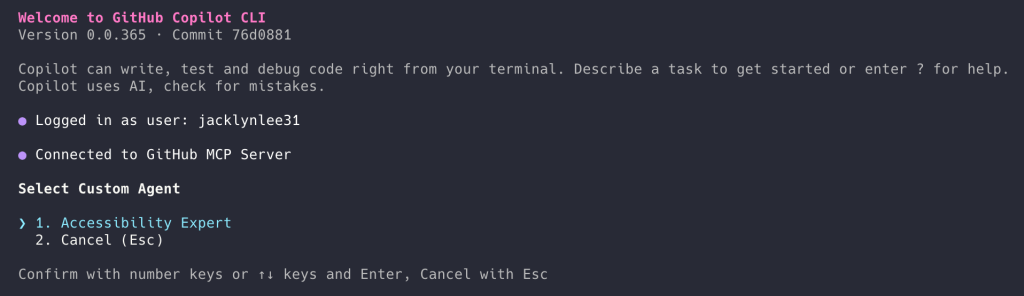
Context switching equals friction in software development. Today, we’re removing some of that friction with the latest updates to Agent HQ which lets you run coding agents from multiple providers directly inside GitHub and your editor, keeping context, history, and review attached to your work. Copilot Pro+ and Copilot Enterprise users can now run multiple coding agents directly inside GitHub, GitHub Mobile, and Visual Studio Code (with Copilot CLI support coming soon). That means you can use agents like GitHub Copilot, Claude by Anthropic, and OpenAI Codex (both in public preview) today. With Codex, Claude, and Copilot in Agent HQ, you can move from idea to implementation using different agents for different steps without switching tools or losing context.  We’re bringing Claude into GitHub to meet developers where they are. With Agent HQ, Claude can commit code and comment on pull requests, enabling teams to iterate and ship faster and with more confidence. Our goal is to give developers the reasoning power they need, right where they need it. Katelyn Lesse, Head of Platform, Anthropic How to get started  When you have a task, you can choose Copilot, Claude, Codex, or a custom agent. You can make them work asynchronously and then review the results on your own time.  Each coding agent session consumes one premium request. You can currently start Claude and Codex sessions from github.com, GitHub Mobile, and in VS Code. Claude and Codex must be explicitly enabled in your settings before use. See details on how.  Create and view agent sessions on GitHub  You can start and manage agent sessions directly from GitHub:  Open the Agents tab in any repository where agents are enabled.  Enter your request and select an agent using the Copilot icon.  Submit the request to start the session.  Agents run asynchronously by default. You can follow their progress in real time or review completed sessions later, with detailed logs showing what the agent did and why.  Each session produces artifacts like comments, drafts, and proposed changes that can be reviewed like any other contribution.  Assign agents to issues and pull requests  You can also use agents directly in your existing collaboration workflows:  Assign an issue to Copilot, Claude, Codex, or all three to compare results.  Agents can submit draft pull requests for review.  Assign agents to existing pull requests to request changes or further analysis.  Mention @Copilot, @Claude, or @Codex in pull request comments to prompt follow-up work.  Agent activity is logged and reviewable, so their output fits naturally into the same workflows you already use to evaluate developer contributions.  Agents can still make mistakes. That’s exactly why their output is designed to be reviewed, compared, and challenged, not blindly accepted.  Start agent sessions in Visual Studio Code  You can also work with agents directly from VS Code (version 1.109 or later):  Open the Agent sessions view from the title bar or by pressing Ctrl+Shift+P /CMD+Shift+P and searching for “agent sessions”   Choose a session type and your agent:  Local (Copilot), Claude, or Codex for fast, interactive assistance  Cloud for autonomous tasks that run on GitHub, then select an agent  Background for asynchronous local work (Copilot only)  This lets you explore ideas in the editor and then delegate longer-running work to GitHub without losing context or history. From faster code to better decisions  Agent HQ also lets you compare how different agents approach the same problem, too. You can assign multiple agents to a task, and see how Copilot, Claude, and Codex reason about tradeoffs and arrive at different solutions.   In practice, this helps you surface issues earlier by using agents for different kinds of review:   Architectural guardrails: Ask one or more agents to evaluate modularity and coupling, helping identify changes that could introduce unintended side effects.  Logical pressure testing: Use another agent to hunt for edge cases, async pitfalls, or scale assumptions that could cause problems in production.  Pragmatic implementation: Have a separate agent propose the smallest, backward-compatible change to keep the blast radius of a refactor low. This method of working moves your reviews and thinking to strategy over syntax.  Our collaboration with GitHub has always pushed the frontier of how developers build software. The first Codex model helped power Copilot and inspired a new generation of AI-assisted coding. We share GitHub’s vision of meeting developers wherever they work, and we’re excited to bring Codex to GitHub and VS Code. Codex helps engineers work faster and with greater confidence—and with this integration, millions more developers can now use it directly in their primary workspace, extending the power of Codex everywhere code gets written. Alexander Embiricos, OpenAI  Why running agents on GitHub matters  GitHub is already where code lives, collaboration happens, and decisions are reviewed, governed, and shipped.  Making coding agents native to that workflow, rather than external tools, makes them even more useful at scale. Instead of copying and pasting context between tools, documents, and threads, all discussion and proposed changes stay attached to the repository itself.  With Copilot, Claude, and Codex working directly in GitHub and VS Code, you can:  Explore tradeoffs early: Run agents in parallel to surface competing approaches and edge cases before code hardens.  Keep context attached to the work: Agents operate inside your repository, issues, and pull requests instead of starting from stateless prompts.  Avoid new review processes: Agent-generated changes show up as draft pull requests and comments, reviewed the same way you’d review a teammate’s work.  There are no new dashboards to learn, and no separate AI workflows to manage. Everything runs inside the environments you already use.  Built for teams, not just individuals  These workflows don’t just benefit individual developers. Agent HQ gives you org-wide visibility and systematic control over how AI interacts with your codebase:  Agent controls: Manage access and security policies in one place, allowing enterprise admins to define which agents and models are permitted across the organization.  Code quality checks: GitHub Code Quality (in public preview) extends Copilot’s security checks to evaluate the maintainability and reliability impact of changed code, helping ensure “LGTM” reflects long-term code health.  Automated first-pass review: We have integrated a code review step directly into the Copilot’s workflow, allowing Copilot to address initial problems before a developer ever sees the code.  Impact metrics: Use the Copilot metrics dashboard (in public preview) to track usage and impact across your entire organization, providing clear traceability for agent-generated work.  Security and auditability: Maintain full control with audit logging and enterprise-grade access management, ensuring agents work with your security posture instead of against it.  This allows teams to adopt agent-based workflows without sacrificing code quality, accountability, or trust.  More agents coming soon  Access to Claude and Codex will soon expand to more Copilot subscription types. In the meantime, we’re actively working with partners, including Google, Cognition, and xAI to bring more specialized agents into GitHub, VS Code, and Copilot CLI workflows.  Read the docs to get started > The post Pick your agent: Use Claude and Codex on Agent HQ  appeared first on The GitHub Blog. ​ Company news, News & insights, Agent HQ, AI agents The GitHub Blog

tech blog

What the fastest-growing tools reveal about how software is being built

In 2025, software development crossed a quiet threshold. In our latest Octoverse report, we found that the fastest-growing languages, tools, and open source projects on GitHub are no longer about shipping more code. Instead, they’re about reducing friction in a world where AI is helping developers build more, faster. By looking at some of the areas of fastest growth over the past year, we can see how developers are adapting through:  The programming languages that are growing most in AI-assisted development workflows. The tools that win when speed and reproducibility matter. The areas where new contributors are showing up (and what helps them stick). Rather than catalog trends, we want to focus on what those signals mean for how software is being built today and what choices you might consider heading into 2026.  The elephant in the room: Typescript is the new #1 In August 2025, TypeScript became the most-used language on GitHub, overtaking Python and JavaScript for the first time. Over the past year, TypeScript added more than one million contributors, which was the largest absolute growth of any language on GitHub.  Python also continued to grow rapidly, adding roughly 850,000 contributors (+48.78% YoY), while JavaScript grew more slowly (+24.79%, ~427,000 contributors). Together, TypeScript and Python both significantly outpaced JavaScript in both total and percentage growth.  This shift signals more than a preference change. Typed languages are increasingly becoming the default for new development, particularly as AI-assisted coding becomes routine. Why is that? In practice, a significant portion of the failures teams encounter with AI-generated code surface as type mismatches, broken contracts, or incorrect assumptions between components. Stronger type systems act as early guardrails: they can help catch errors sooner, reduce review churn, and make AI-generated changes easier to reason about before code reaches production.  If you’re going to be using AI in your software design, which more and more developers are doing on a daily basis, strongly typed languages are your friend. Here’s what this means in practice:  If you’re starting a new project today, TypeScript is increasingly becoming the default (especially for teams using AI in daily development). If you’re introducing AI-assisted workflows into an existing JavaScript codebase, adding types may reduce friction more than switching models or tools. Python is key for AI Contributor counts show who is using a language. Repository data shows what that language is being used to build.  When we look specifically at AI-focused repositories, Python stands apart. As of August 2025, nearly half of all new AI projects on GitHub were built primarily in Python.  This matters because AI projects now account for a disproportionate share of open source momentum. Six of the ten fastest-growing open source projects by contributors in 2025 were directly focused on AI infrastructure or tooling. Python’s role here isn’t new, but it is evolving. The data suggests a shift from experimentation toward production-ready AI systems, with Python increasingly anchoring packaging, orchestration, and deployment rather than living only in notebooks.  Moreover, Python is likely to continue to grow in 2026, as AI continues to gain support and additional projects. Here’s what this means in practice: Python remains the backbone of applied AI work from training and inference to orchestration. Production-focused Python skills such as packaging, typing, CI, and containerization are becoming more important than exploratory scripting alone.  A deeper look at the top open source projects Looking across the fastest-growing projects, a clear pattern emerges: developers are optimizing for speed, control, and predictable outcomes.  Many of the fastest-growing tools emphasize performance and minimalism. Projects like astral-sh/uv, a package and project manager, focus on dramatically faster Python package management. This reflects a growing intolerance for slow feedback loops and non-deterministic environments.  Having just one of these projects could be an anomaly, but having multiple indicates a clear trend. This trend aligns closely with AI-assisted workflows where iteration speed and reproducibility directly impact developer productivity.  Here’s what this means in practice:  Fast installs and deterministic builds increasingly matter as much as feature depth. Tools that reduce “works on my machine” moments are winning developer mindshare. Where first-time open source contributors are showing up As the developer population grows, understanding where first-time contributors show up (and why) becomes increasingly important.  Projects like VS Code and First Contributions continued to top the list over the last year, reflecting both the scale of widely used tools and the persistent need for low-friction entry points into open source (notably, we define contributions as any content-generating activity on GitHub). Despite this growth, basic project governance remains uneven across the ecosystem. README files are common, but contributor guides and codes of conduct are still relatively rare even as first-time contributions increase. This gap represents one of the highest-leverage improvements maintainers and open source communities can make. The fact that most of the projects on this list have detailed documentation on what the project is and how to contribute shows the importance of this guidance. Here’s what this means in practice:  Clear documentation lowers the cost of contribution more than new features. Contributor guides and codes of conduct can help convert curiosity into sustained participation. Improving project hygiene is often the fastest way to grow a contributor base. Putting it all together Taken together, these trends point to a shift in what developers value and how they choose tools.  AI is no longer a separate category of development. It’s shaping the languages teams use, which tools gain traction, and which projects attract contributors.  Typed languages like TypeScript are becoming the default for reliability at scale, while Python remains central to AI-driven systems as they move from prototypes into production.  Across the ecosystem, developers are rewarding tools that minimize friction with faster feedback loops, reproducible environments, and clearer contribution paths. Developers and teams that optimize for speed, clarity, and reliability are shaping how software is being built. As a reminder, you can check out the full 2025 Octoverse report for more information and make your own conclusions. There’s a lot of good data in there, and

tech blog

GitHub availability report: January 2026

In January, we experienced two incidents that resulted in degraded performance across GitHub services. January 13 09:38 UTC (lasting 46 minutes) On January 13, 2026, from 09:25 to 10:11 UTC, GitHub Copilot experienced a service outage with error rates averaging 18% and peaking at 100%. This impacted chat features across Copilot Chat, VS Code, JetBrains IDEs, and other dependent products. The incident was triggered by a configuration error introduced during a model update and was initially mitigated by rolling back the change. A secondary recovery phase extended until 10:46 UTC due to upstream provider Open AI experiencing degraded availability for GPT‑4.1 model. We have completed a detailed root‑cause review and are implementing stronger monitors, improved test environments, and tighter configuration safeguards to prevent recurrence and accelerate detection and mitigation of future issues. January 15 16:56 UTC (lasting 1 hour and 40 minutes) On January 15, 2026, between 16:40 UTC and 18:20 UTC, we observed increased latency and timeouts across issues, pull requests, notifications, actions, repositories, API, account login, and an internal service, Alive, that powers live updates on GitHub. An average 1.8% of combined web and API requests saw failure, peaking briefly at 10% early on. The majority of impact was observed for unauthenticated users, but authenticated users were impacted as well. This was caused by an infrastructure update to some of our data stores. Upgrading this infrastructure to a new major version resulted in unexpected resource contention, leading to distributed impact in the form of slow queries and increased timeouts across services that depend on these datasets. We mitigated this by rolling back to the previous stable version. We are working to improve our validation process for these types of upgrades to catch issues that only occur under high load before full release, improve detection time, and reduce mitigation times in the future. Looking ahead  Please note that the incidents that occurred on February 9, 2026, will be included in next month’s February Availability Report. In the meantime, you can refer to incident report on the GitHub Status site for more details. Follow our status page for real-time updates on status changes and post-incident recaps. To learn more about what we’re working on, check out the engineering section on the GitHub Blog. The post GitHub availability report: January 2026 appeared first on The GitHub Blog. ​ Company news, News & insights, GitHub Availability Report The GitHub Blog

tech blog

Continuous AI in practice: What developers can automate today with agentic CI

Software engineering has always included work that’s repetitive, necessary, and historically difficult to automate. This isn’t because it lacks values, but because it resists deterministic rules.  Continuous integration (CI) solved part of this by handling tests, builds, formatting, and static analysis—anything that can be described with deterministic rules. CI excels when correctness can be expressed unambiguously: a test passes or fails, a build succeeds or doesn’t, a rule is violated or isn’t.  But CI is intentionally limited to problems that can be reduced to heuristics and rules.  For most teams, the hardest work isn’t writing code. It’s everything that requires judgment around that code: reviewing changes, keeping documentation accurate, managing dependencies, tracking regressions, maintaining tests, monitoring quality, and responding to issues that only surface after code ships.  But a lot of engineering work goes into work that requires interpretation, synthesis, and context, rather than deterministic validation. And an increasing share of engineering tasks fall into a category CI was never designed to handle: work that depends on understanding intent.  “Any task that requires judgment goes beyond heuristics,” says Idan Gazit, head of GitHub Next, which works on research and development initiatives. Any time something can’t be expressed as a rule or a flow chart is a place where AI becomes incredibly helpful. Idan Gazit, head of GitHub Next This is why GitHub Next has been exploring a new pattern: Continuous AI, or background agents that operate in your repository the way CI jobs do, but only for tasks that require reasoning instead of rules. Why CI isn’t enough anymore CI isn’t failing. It’s doing exactly what it was designed to do.  CI is designed for binary outcomes. Tests pass or fail. Builds succeed or don’t. Linters flag well-defined violations. That works well for rule-based automation. But many of the hardest and most time-consuming parts of engineering are judgment-heavy and context-dependent.  Consider these scenarios:  A docstring says one thing, but the implementation says another. Text passes accessibility linting but is still confusing to users. A dependency adds a new flag, altering behavior without a major version bump. A regex is compiled inside a loop, tanking performance in subtle ways. UI behavior changes are only visible when interacting with the product. These problems are about whether intent still holds.  “The first era of AI for code was about code generation,” Idan explains. “The second era involves cognition and tackling the cognitively heavy chores off of developers.” This is the gap Continuous AI fills: not more automation, but a different class of automation. CI handles deterministic work. Continuous AI applies where correctness depends on reasoning, interpretation, and intent.  What Continuous AI actually means Continuous AI is not a new product or CI replacement. Traditional CI remains essential.  Continuous AI is a pattern: Continuous AI = natural-language rules + agentic reasoning, executed continuously inside your repository. In practice, Continuous AI means expressing in plain language what should be true about your code, especially when that expectation cannot be reduced to rules or heuristics. An agent then evaluates the repository and produces artifacts a developer can review: suggested patches, issues, discussions, or insights. Developers rarely author agentic workflows in a single pass. In practice, they collaborate with an agent to refine intent, add constraints, and define acceptable outputs. The workflow emerges through iteration, not a single sentence.  For example:  “Check whether documented behavior matches implementation, explain any mismatches, and propose a concrete fix.” “Generate a weekly report summarizing project activity, emerging bug trends, and areas of increased churn.” “Flag performance regressions in critical paths.” “Detect semantic regressions in user flows.” These workflows are not defined by brevity. They combine intent, constraints, and permitted outputs to express expectations that would be awkward or impossible to encode as deterministic rules.  “In the future, it’s not about agents running in your repositories,” Idan says. “It’s about being able to presume you can cheaply define agents for anything you want off your plate permanently.” Think about what your work looks like when you can delegate more of it to AI, and what parts of your work you want to retain: your judgment, your taste. Idan Gazit, head of GitHub Next Guardrails by design: Permissions and Safe Outputs In our work, we define agentic workflows with safety as a first principle. By default, agents operate with read-only access to repositories. They cannot create issues, open pull requests, or modify content unless explicitly permitted.  We call this Safe Outputs, which provides a deterministic contract for what an agent is allowed to do. When defining a workflow, developers specify exactly which artifacts an agent may produce, such as opening a pull request or filing an issue, and under what constraints.  Anything outside those boundaries is forbidden.  This model assumes agents can fail or behave unexpectedly. Outputs are sanitized, permissions are explicit, and all activity is logged and auditable. The blast radius is deterministic.  This isn’t “AI taking over software development.” It’s AI operating within guardrails developers explicitly define.  Why natural language complements YAML As we’ve developed this, we’ve heard a common question: why not just extend CI with more rules?  When a problem can be expressed deterministically, extending CI is exactly the right approach. YAML, schemas, and heuristics remain the correct tools for those jobs.  But many expectations cannot be reduced to rules without losing meaning.  Idan puts it simply: “There’s a larger class of chores and tasks we can’t express in heuristics.” A rule like “whenever documentation and code diverge, identify and fix it” cannot be expressed in a regex or schema. It requires understanding semantics and intent. A natural-language instruction can express that expectation clearly enough for an agent to reason over it.  Natural language doesn’t replace YAML, but instead complements it. CI remains the foundation. Continuous AI expands automation into commands CI was never designed to cover.  Developers stay in the loop, by design Agentic workflows don’t make autonomous commits. Instead, they can create the same kinds of artifacts developers would (pull requests, issues, comments, or discussions) depending

tech blog

Welcome to the Eternal September of open source. Here’s what we plan to do for maintainers.

Open collaboration runs on trust. For a long time, that trust was protected by a natural, if imperfect filter: friction. If you were on Usenet in 1993, you’ll remember that every September a flood of new university students would arrive online, unfamiliar with the norms, and the community would patiently onboard them. Then mainstream dial-up ISPs became popular and a continuous influx of new users came online. It became the September that never ended. Today, open source is experiencing its own Eternal September. This time, it’s not just new users. It’s the sheer volume of contributions. When the cost to contribute drops In the era of mailing lists contributing to open source required real effort. You had to subscribe, lurk, understand the culture, format a patch correctly, and explain why it mattered. The effort didn’t guarantee quality, but it filtered for engagement. Most contributions came from someone who had genuinely engaged with the project. It also excluded people. The barrier to entry was high. Many projects worked hard to lower it in order to make open source more welcoming. A major shift came with the pull request. Hosting projects on GitHub, using pull requests, and labeling “Good First Issues” reduced the friction needed to contribute. Communities grew and contributions became more accessible. That was a good thing. But friction is a balancing act. Too much keeps people and their ideas out, too little friction can strain the trust open source depends on. Today, a pull request can be generated in seconds. Generative AI makes it easy for people to produce code, issues, or security reports at scale. The cost to create has dropped but the cost to review has not. It’s worth saying: most contributors are acting in good faith. Many want to help projects they care about. Others are motivated by learning, visibility, or the career benefits of contributing to widely used open source. Those incentives aren’t new and they aren’t wrong. The challenge is what happens when low-quality contributions arrive at scale. When volume accelerates faster than review capacity, even well-intentioned submissions can overwhelm maintainers. And when that happens, trust, the foundation of open collaboration, starts to strain. The new scale of noise It is tempting to frame “low-quality contributions” or “AI slop” contributions as a unique recent phenomenon. It isn’t. Maintainers have always dealt with noisy inbound. The Linux kernel operates under a “web of trust” philosophy and formalized its SubmittingPatches guide and introduced the Developer Certificate of Origin (DCO) in 2004 for a reason. Mozilla and GNOME built formal triage systems around the reality that most incoming bug reports needed filtering before maintainers invested deeper time. Automated scanners: Long before GenAI, maintainers dealt with waves of automated security and code quality reports from commercial and open source scanning tools. The question from maintainers has often been the same: “Are you really trying to help me, or just help yourself?“ Just because a tool—whether a static analyzer or an LLM—makes it easy to generate a report or a fix, it doesn’t mean that contribution is valuable to the project. The ease of creation often adds a burden to the maintainer because there is an imbalance of benefit. The contributor maybe gets the credit (or the CVE, or the visibility), while the maintainer gets the maintenance burden. Maintainers are feeling that directly. For example: curl ended its bug bounty program after AI-generated security reports exploded, each taking hours to validate. Projects like Ghostty are moving to invitation-only contribution models, requiring discussion before accepting code contributions. Multiple projects are adopting explicit rules about AI-generated contributions. These are rational responses to an imbalance. What we’re doing at GitHub At GitHub, we aren’t just watching this happen. Maintainer sustainability is foundational to open source, and foundational to us. As the home of open source, we have a responsibility to help you manage what comes through the door. We are approaching this from multiple angles: shipping immediate relief now, while building toward longer-term, systemic improvements. Some of this is about tooling. Some is about creating clearer signals so maintainers can decide where to spend their limited time. Features we’ve already shipped Pinned comments on issues: You can now pin a comment to the top of an issue from the comment menu. Banners to reduce comment noise: Experience fewer unnecessary notifications with a banner that encourages people to react or subscribe instead of leaving noise like “+1” or “same here.” Pull request performance improvements: Pull request diffs have been optimized for greater responsiveness and large pull requests in the new files changed experience respond up to 67% faster. Faster issue navigation: Easier bug triage thanks to significantly improved speeds when browsing and navigating issues as a maintainer. Temporary interaction limits: You can temporarily enforce a period of limited activity for certain users on a public repository. These improvements focus on reducing review overhead. Features we’ll be shipping soon Repo-level pull request controls: Gives maintainers the option to limit pull request creation to collaborators or disable pull requests entirely. While the introduction of the pull request was fundamental to the growth of open source, maintainers should have the tools they need to manage their projects. Pull request deletion from the UI: Remove spam or abusive pull requests so repositories can stay more manageable. Exploring next steps We know that walls don’t build communities. As we explore next steps, our focus is on giving maintainers more control while helping protect what makes open source communities work. Some of the directions we’re exploring in consultation with maintainers include: Criteria-based gating: Requiring a linked issue before a pull request can be opened, or defining rules that contributions must meet before submission. Improved triage tools: Potentially leveraging automated triage to evaluate contributions against a project’s own guidelines (like CONTRIBUTING.md) and surface which pull requests should get your attention first. These tools are meant to support decision-making, not replace it. Maintainers should always remain in control. We are also aware of tradeoffs. Restrictions can disproportionately affect first-time contributors

tech blog

Automate repository tasks with GitHub Agentic Workflows  

Imagine visiting your repository in the morning and feeling calm because you see: Issues triaged and labelled CI failures investigated with proposed fixes Documentation has been updated to reflect recent code changes. Two new pull requests that improve testing await your review. All of it visible, inspectable, and operating within the boundaries you’ve defined. That’s the future powered by GitHub Agentic Workflows: automated, intent-driven repository workflows that run in GitHub Actions, authored in plain Markdown and executed with coding agents. They’re designed for people working in GitHub, from individuals automating a single repo to teams operating at enterprise or open-source scale. At GitHub Next, we began GitHub Agentic Workflows as an investigation into a simple question: what does repository automation with strong guardrails look like in the era of AI coding agents? A natural place to start was GitHub Actions, the heart of scalable repository automation on GitHub. By bringing automated coding agents into actions, we can enable their use across millions of repositories, while keeping decisions about when and where to use them in your hands. GitHub Agentic Workflows are now available in technical preview. In this post, we’ll explain what they are and how they work. We invite you to put them to the test, to explore where repository-level AI automation delivers the most value. AI repository automation: A revolution through simplicity  The concept behind GitHub Agentic Workflows is straightforward: you describe the outcomes you want in plain Markdown, add this as an automated workflow to your repository, and it executes using a coding agent in GitHub Actions. This brings the power of coding agents into the heart of repository automation. Agentic workflows run as standard GitHub Actions workflows, with added guardrails for sandboxing, permissions, control, and review. When they execute, they can use different coding agent engines—such as Copilot CLI, Claude Code, or OpenAI Codex—depending on your configuration. The use of GitHub Agentic Workflows makes entirely new categories of repository automation and software engineering possible, in a way that fits naturally with how developer teams already work on GitHub. All of them would be difficult or impossible to accomplish traditional YAML workflows alone: Continuous triage: automatically summarize, label, and route new issues. Continuous documentation: keep READMEs and documentation aligned with code changes. Continuous code simplification: repeatedly identify code improvements and open pull requests for them. Continuous test improvement: assess test coverage and add high-value tests. Continuous quality hygiene: proactively investigate CI failures and propose targeted fixes. Continuous reporting: create regular reports on repository health, activity, and trends. These are just a few examples of repository automations that showcase the power of GitHub Agentic Workflows. We call this Continuous AI: the integration of AI into the SDLC, enhancing automation and collaboration similar to continuous integration and continuous deployment (CI/CD) practices. GitHub Agentic Workflows and Continuous AI are designed to augment existing CI/CD rather than replace it. They do not replace build, test, or release pipelines, and their use cases largely do not overlap with deterministic CI/CD workflows. Agentic workflows run on GitHub Actions because that is where GitHub provides the necessary infrastructure for permissions, logging, auditing, sandboxed execution, and rich repository context. In our own usage at GitHub Next, we’re finding new uses for agentic workflows nearly every day. Throughout GitHub, teams have been using agentic workflows to create custom tools for themselves in minutes, replacing chores with intelligence or paving the way for humans to get work done by assembling the right information, in the right place, at the right time. A new world of possibilities is opening for teams and enterprises to keep their repositories healthy, navigable, and high-quality. Let’s talk guardrails and control  Designing for safety and control is non-negotiable. GitHub Agentic Workflows implements a defense-in-depth security architecture that protects against unintended behaviors and prompt-injection attacks. Workflows run with read-only permissions by default. Write operations require explicit approval through safe outputs, which map to pre-approved, reviewable GitHub operations such as creating a pull request or adding a comment to an issue. Sandboxed execution, tool allowlisting, and network isolation help ensure that coding agents operate within controlled boundaries. Guardrails like these make it practical to run agents continuously, not just as one-off experiments. See our security architecture for more details. One alternative approach to agentic repository automation is to run coding agent CLIs, such as Copilot or Claude, directly inside a standard GitHub Actions YAML workflow. This approach often grants these agents more permission than is required for a specific task. In contrast, GitHub Agentic Workflows run coding agents with read-only access by default and rely on safe outputs for GitHub operations, providing tighter constraints, clearer review points, and stronger overall control. A simple example: A daily repo report   Let’s look at an agentic workflow which creates a daily status report for repository maintainers. In practice, you will usually use AI assistance to create your workflows. The easiest way to do this is with an interactive coding agent. For example, with your favorite coding agent, you can enter this prompt: Generate a workflow that creates a daily repo status report for a maintainer. Use the instructions at https://github.com/github/gh-aw/blob/main/create.md The coding agent will interact with you to confirm your specific needs and intent, write the Markdown file, and check its validity. You can then review, refine, and validate the workflow before adding it to your repository. This will create two files in .github/workflows:  daily-repo-status.md (the agentic workflow)   daily-repo-status.lock.yml (the corresponding agentic workflow lock file, which is executed by GitHub Actions)  The file daily-repo-status.md will look like this:  — on: schedule: daily permissions: contents: read issues: read pull-requests: read safe-outputs: create-issue: title-prefix: “[repo status] ” labels: [report] tools: github: — # Daily Repo Status Report Create a daily status report for maintainers. Include – Recent repository activity (issues, PRs, discussions, releases, code changes) – Progress tracking, goal reminders and highlights – Project status and recommendations – Actionable next steps for maintainers Keep it concise and link to the relevant issues/PRs. This file has two parts:  Frontmatter (YAML between — markers) for configuration  Markdown instructions that describe the job in natural language in natural language The Markdown is the intent, but the trigger, permissions, tools, and allowed outputs

tech blog

Why Dell Server Management Tools Outperform HPE: Comparative Analysis

Key takeaways: Dell server management tools streamline workflows, provide deeper visibility and deliver actionable sustainability insights, outperforming comparable tools from …   ​  ​Key takeaways: Dell server management tools streamline workflows, provide deeper visibility and deliver actionable sustainability insights, outperforming comparable tools from … PowerEdge Blog | Dell

tech blog

Breaking the Multiphysics Simulation Bottleneck

Multiphysics simulation no longer requires compromise. Modern workstations and GPUs are unlocking full‑fidelity insight.   ​  ​Multiphysics simulation no longer requires compromise. Modern workstations and GPUs are unlocking full‑fidelity insight. Dell Pro Max Blog | Dell

tech blog

Simplified Storage for SMBs with Dell PowerVault ME5

Storage isn’t a compromise. Modern IT demands simplicity: deploy fast, manage easily, scale with confidence, stay protected.   ​  ​Storage isn’t a compromise. Modern IT demands simplicity: deploy fast, manage easily, scale with confidence, stay protected. Technology Solutions Blog | Dell

Scroll to Top